About this app
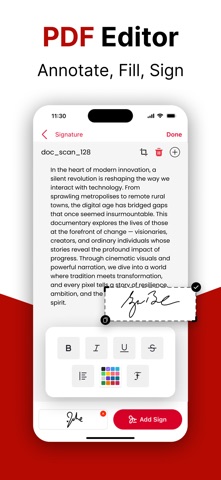
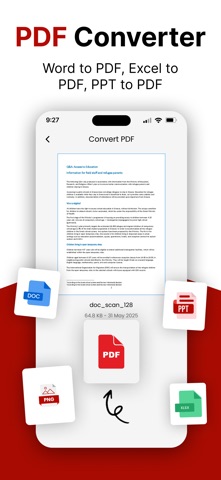
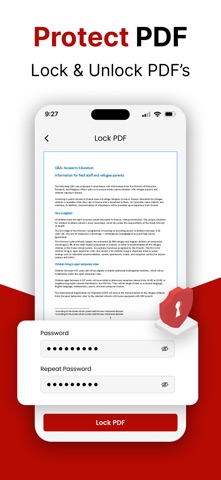
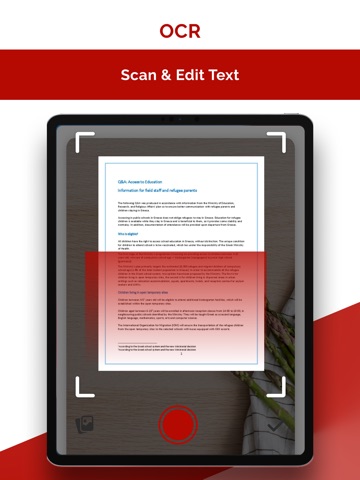
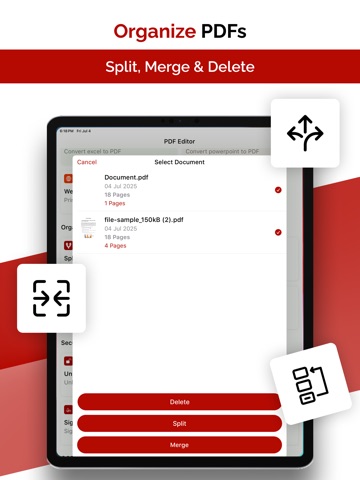
Ultimate PDF Editor & Converter, Easily scan, convert, merge, and edit PDFs. Fill forms, organize pages, add or remove watermarks — all in one powerful PDF tool for documents and files. Try it now! Looking for a powerful all-in-one PDF tool? Our advanced PDF app lets you scan, edit, convert, merge, split, fill forms, reorder pages, and secure your files effortlessly. Whether you're managing documents or creating professional PDFs, everything you need is right here — fast, simple, and reliable.Looking for a complete solution to manage your PDF files on the go? This all-in-one PDF editor combines powerful tools into one sleek app—perfect for scanning, editing, converting, merging, securing, and sharing your documents in just a few taps. Whether you're filling out forms, organizing pages, or converting files, this app makes handling PDFs fast, simple, and efficient. Top Features: - Secure Your PDFs – Lock documents with a password or unlock protected files with ease. - iCloud Sync – Access and save PDFs directly from iCloud for seamless cloud integration. - Excel & PowerPoint to PDF – Instantly convert spreadsheets and presentations to PDF. - Watermark Creator – Add custom watermarks to protect your work from misuse. - Scan to PDF – Digitize paper documents using your camera with crystal-clear results. - PDF Creator – Start fresh with a blank page or create personalized PDFs from scratch. - Form Builder & Editor – Design, fill, and manage professional PDF forms effortlessly. - One-Tap Share & Print – Quickly share or print documents straight from the app. - Advanced Text & Element Editing – Make direct edits, add images or text boxes with ease. - Merge & Split PDFs – Combine multiple files into one or separate large documents into parts. - Reorder & Remove Pages – Rearrange or delete pages for better document flow. - Sign Documents – Add digital signatures in seconds for fast, secure approvals. - OCR Image Scanner – Convert scanned images into editable, searchable text. - Image & Text to PDF – Create polished PDFs from photos or plain text files. - Multi-Format File Converter (Pro) – Convert to and from PDFs with support for various formats. - Multi-Language Support – Use the app in your preferred language, wherever you are. Why Choose This App? Easy to Use – Clean, intuitive design that makes complex tasks simple. Professional Quality – Keeps your documents sharp, clean, and correctly formatted. Privacy First – Secure your files with built-in encryption and password options. Performance Optimized – Lightweight app, built for speed and smooth performance. Get Started Today! Whether you're a student, freelancer, business owner, or working professional, this app helps you manage PDFs like a pro. From scanning and editing to signing and sharing—everything you need is right here. Privacy Policy : https://sites.google.com/view/artisanspprt/privacy-policy Terms of Use : https://sites.google.com/view/artisanspprt/terms-of-use Download now and streamline your PDF workflow!
Latest release
What’s New
Unlock a smarter PDF workflow with our latest update! This version brings powerful tools to supercharge your productivity: - Lock & Unlock PDFs: Easily add or remove password protection for your files. - Excel & PPT to PDF: Convert spreadsheets and slides into PDFs in one tap. - Add Watermarks: Personalize and protect your documents. - eSignature: Quickly sign PDFs with secure digital signatures. - Scan & OCR: Scan physical documents and extract text with smart OCR. Update now and experience a faster, safer, and more feature-rich way to handle your PDFs!
Audience growth
Ratings growth
Momentum comes from crawler snapshots for the tracked storefront. “Viral growth signal” means unusually fast recent rating gains; it is an indicator, not download data.
Price tracking
Price intelligence
- First observed Aug 8, 2026 · 1:39 AM Free
Screenshots