About this app
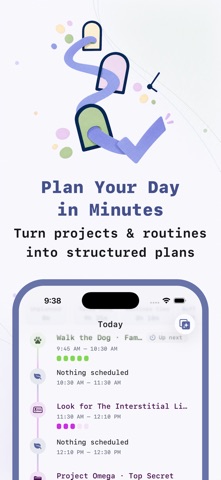
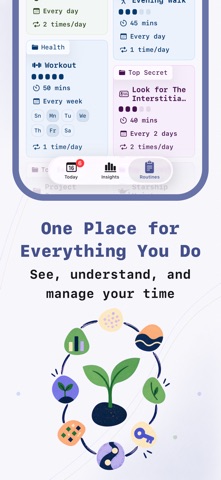
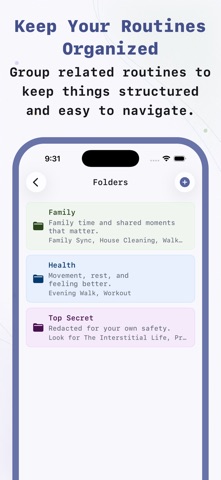
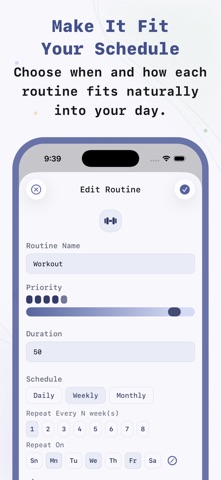
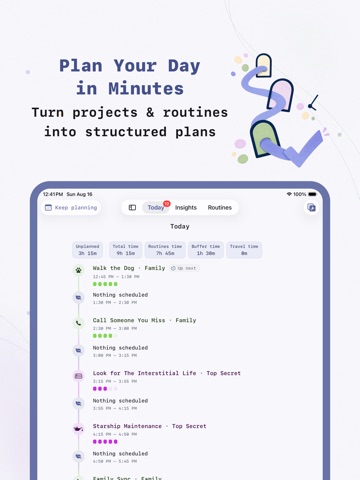
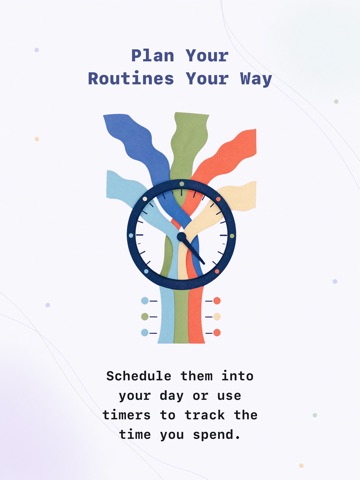
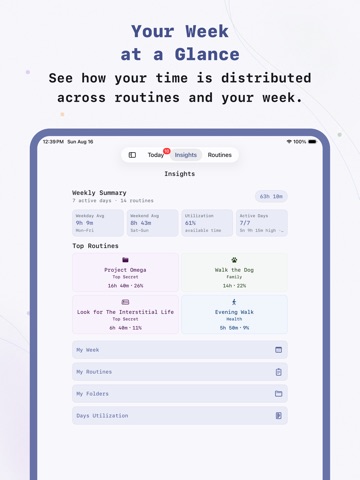
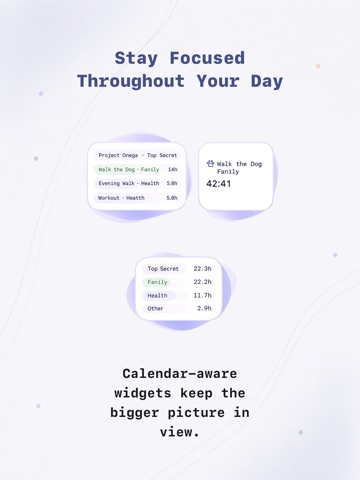
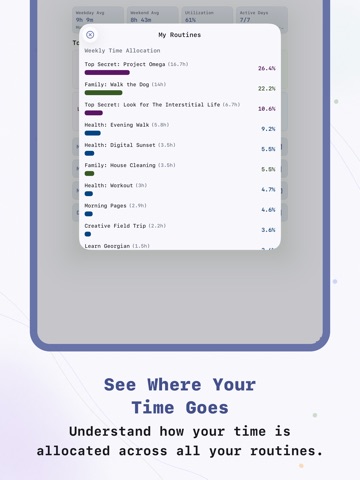
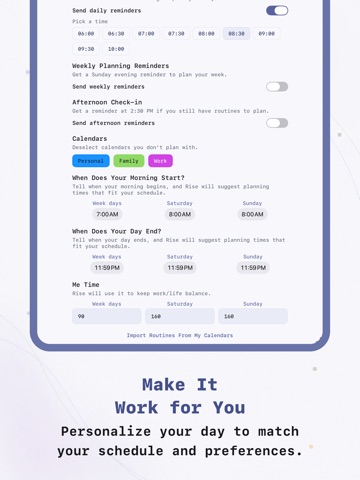
Rise — The Routine Planner for the Agentic Era. We can do more than ever now. One person can have a full-time job, study something new, build a startup, work out, care for a family, improve their health, and still have more ideas waiting for their turn. That’s exciting. It’s also a lot. We’re entering the agentic age with tools that help us move faster, but our time is still limited. And we’re still trying to manage everything with to-do lists. A to-do list doesn’t know how much time you have or help you balance competing priorities. It just keeps growing. Rise takes a different approach. Understand your time Before making another plan, step back. What are you spending your time on? What keeps getting pushed aside? Are the things that matter getting any space in your week? Rise doesn’t decide how your life should be organized. You do. Track your time by projects, goals, clients, habits, areas of life—or anything else that makes sense to you. Rise shows you how your time is distributed, so you can see whether it matches your priorities. Plan for real life Most plans work until the day begins. A meeting appears. Something takes longer. A new priority comes in. Suddenly, the plan no longer fits. Rise helps you plan around the time you actually have. When the day changes, your plan can change with it. Here’s how Rise works 1. Define your goals and activities Start with the things you want to make time for—a project, a new skill, your health, people you care about, or simply something you enjoy. Turn each one into an activity you can return to regularly. Describe it naturally, and Rise helps you set it up. 2. Set your time, schedule, and priorities Decide how much time to give each activity, how often it should happen, and whether its timing is fixed or flexible. Organize everything your way. See what’s competing for your time and decide what should come first. 3. Turn your plans into structured days Choose what you want to accomplish, and Rise fits it around the events in your Apple Calendar. In minutes, you have a realistic plan. If a meeting appears, something takes longer, or priorities shift, adjust it and keep going. Describe routines naturally Rise uses Apple Intelligence to turn your words into recurring routines. For example: • “Workout every morning for 45 minutes with a 10-minute cooldown.” • “Study Spanish Monday, Wednesday, and Friday at 7 AM for 90 minutes.” • “Deep work on weekdays after lunch for 2 hours.” • “Therapy every other Tuesday afternoon with reminders.” • “Read for 30 minutes whenever I have free time.” • “Review my budget on the 1st and 15th of each month.” No long forms. No complicated setup. Just describe what you want to do. Organize things your way Use folders for projects, clients, goals, habits, responsibilities, or anything else you want to track. Rise gives you the structure, but you decide what that structure means. Plan your day Each morning, choose what you want to accomplish. Rise works around your Apple Calendar events and fits activities into the time that’s actually available. A few minutes later, you have a structured day—not just a list of things you hope to finish. Features • Create recurring routines with Apple Intelligence • Describe routines in natural language • Build a structured daily plan in minutes • Plan around your Apple Calendar events • Adjust your plan when the day changes • Organize activities in your own way • Set fixed or flexible schedules • Use a built-in focus timer for every routine • See how your time is distributed • Sync across iPhone, iPad, and Mac with iCloud • Privacy first—no account required Rise isn’t another place to collect tasks. It helps you answer a better question: How do I fit everything I care about into the time I actually have? Terms of Use (EULA): https://www.apple.com/legal/internet-services/itunes/dev/stdeula/
Latest release
What’s New
We’ve made improvements and fixed bugs to make Rise faster, smoother, and more reliable.
Audience growth
Ratings growth
Baseline captured. Growth appears after the crawler observes a changed rating count.
Momentum comes from crawler snapshots for the tracked storefront. “Viral growth signal” means unusually fast recent rating gains; it is an indicator, not download data.
Price tracking
Price intelligence
First snapshot captured. The trend line starts after the next crawler price observation.
- First observed Aug 20, 2026 · 6:06 PM Free
Screenshots