About this app
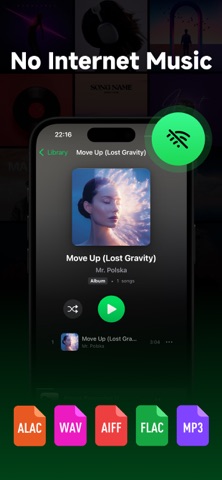
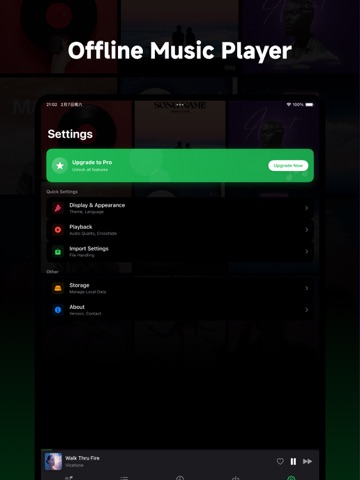
Offline Music Player is a clean, efficient, and 100% offline local music player. No internet connection, no data collection, no ads—just pure access to your personal music library.Offline Music Player is a clean, efficient, and 100% offline local music player. 【Key Features】 · supports MP3, M4A, FLAC, WAV, and more · Create custom playlists and browse by artist, album, or folder · High-quality audio playback with background play and lock screen controls · Built-in equalizer and sleep timer for an enhanced listening experience · Minimalist interface with smooth performance and low battery usage Whether you're on the subway, a flight, or in areas with poor signal, Offline Music Player keeps your favorite tracks at your fingertips—without ever needing the internet. Your privacy is respected: no tracking, no cloud, no hidden permissions. 【Note】 This app only plays music files already stored on your device. It does not provide streaming, downloads, or online content.Music Player is a dedicated local music player that works completely offline. It supports multiple audio formats including MP3, FLAC, and WAV, delivering lossless audio quality without requiring an internet connection. With a clean and intuitive interface, you can easily manage local music files, create personalized playlists, and enjoy an immersive music experience. No ads, just pure music. 【PRO Version Instructions】 Automatic Renewal: Subscriptions will be automatically renewed at the price of the selected plan. Apple iTunes account will deduct the fee 24 hours before the expiration date. Once the deduction is successful, the subscription period will be extended by one subscription period. You can cancel the subscription 24 hours before the end of the current subscription period. Cancel Service: Open the "Settings" on your iPhone --> Go to "iTunes Store & App Store" --> Click on "Apple ID", select "View Apple ID", enter the "Account Settings" page, click "Subscription", select "Music & Video" and cancel the subscription.ervice Deactivation: Open the "Settings" on your iPhone --> Go to "iTunes Store & App Store" --> Click on "Apple ID", select "View Apple ID", enter the "Account Settings" page, click "Subscription", and choose "Voice and Image" to cancel the subscription. Privacy Policy: https://fengezhao.weburl.cloudns.be/2496.html User Agreement: https://fengezhao.weburl.cloudns.be/2498.html
Latest release
What’s New
Optimized the equalizer experience
Audience growth
Ratings growth
Baseline captured. Growth appears after the crawler observes a changed rating count.
Momentum comes from crawler snapshots for the tracked storefront. “Viral growth signal” means unusually fast recent rating gains; it is an indicator, not download data.
Price tracking
Price intelligence
First snapshot captured. The trend line starts after the next crawler price observation.
- First observed Sep 6, 2026 · 12:26 PM Free
Screenshots