About this app
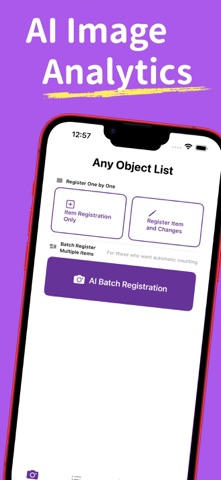
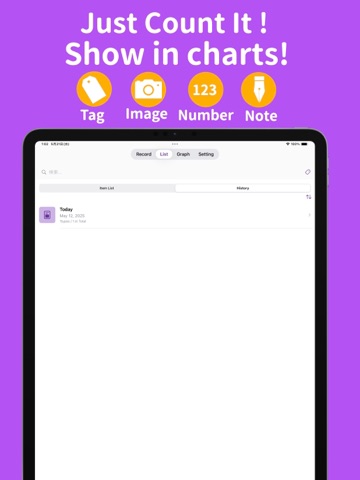
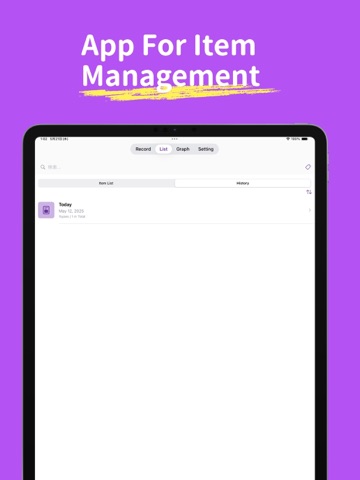
Make managing your belongings smarter. Capture with AI, count instantly, and experience a new way to effortlessly manage your daily inventory. App Overview "Anything Item & Quantity Manager" is an innovative app that uses AI image recognition technology to manage your belongings. Simply take a photo and AI will analyze the image, automatically recognizing and recording the types and quantities of objects it detects. It’s a powerful tool for smooth inventory management, collection tracking, and daily item recording. Recommended for People Who: Want to manage hobby collections like figures, miniature cars, or books with care. Need to easily check stock or supplies in restaurants, retail shops, or small businesses. Wish to smartly manage household items and toys in daily family life. Organize and record items used for events and exhibitions. Love recording and want to keep a well-organized log of everyday memories. Key Features AI-Based Object Detection and Analysis Just take a photo, and AI will automatically recognize the objects and count them. Bounding boxes are displayed around individual objects for clear, automatic image analysis. Select Between Record Modes Easily switch between AI input and manual input. Add tags, titles, dates, and other details freely. Manage Data with an Item List View Pin your latest records for quick updates on frequently used items. Check, search, edit, and delete data in chronological order. Neatly layout thumbnails and item details for easy viewing. Visualize Trends with Graph Displays Visualize changes in item quantities with pie charts and line graphs. Check trends by selecting a specific date range. Design Commitment We’ve designed a clean, visually pleasant interface that makes your daily records fun and enjoyable to manage. Start visualizing your belongings today. A single photo can change your daily recordkeeping. Bring peace of mind to your management and enjoyment to your records. With "Anything Item & Quantity Manager," make organizing your life smarter and simpler. Download now and start your new item management experience.
Latest release
What’s New
Small design update
Audience growth
Ratings growth
Baseline captured. Growth appears after the crawler observes a changed rating count.
Momentum comes from crawler snapshots for the tracked storefront. “Viral growth signal” means unusually fast recent rating gains; it is an indicator, not download data.
Price tracking
Price intelligence
First snapshot captured. The trend line starts after the next crawler price observation.
- First observed Sep 6, 2026 · 7:58 PM Free
Screenshots