About this app
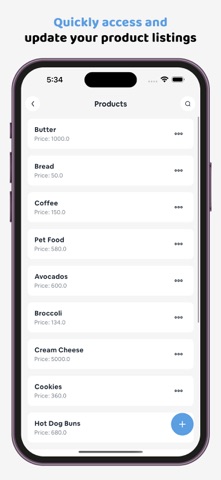
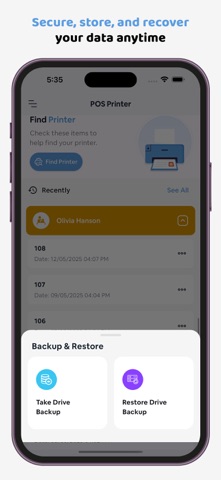
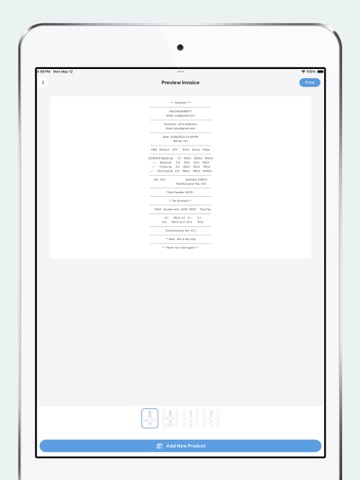
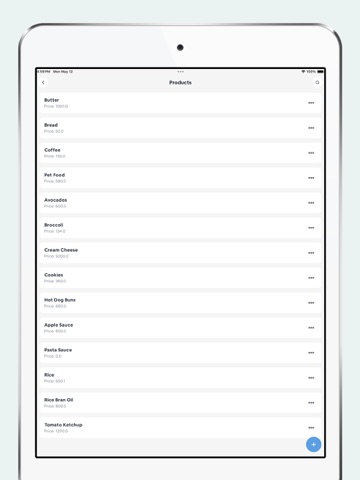
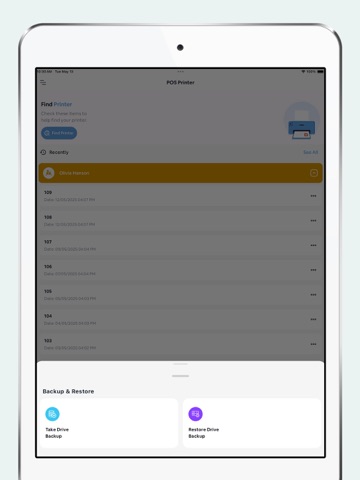
POS Pro: Receipt & QuickBilling is your all-in-one mobile POS system built for retailers, freelancers, vendors, and service providers who want a fast, efficient, and professional way to manage billing, customers, sales, and print receipts—right from your phone or tablet. Key Features: => Fast & Easy Sale Creation Quickly create invoices and sales with a few taps. Add products, select customers and sellers, enter notes, and generate printable receipts in seconds. => Customer & Seller Management Easily add, view, and manage customer and seller profiles. Keep your business organized with quick access to contact and transaction history. => Product Catalog Management Add products with descriptions and prices. Perfect for keeping your inventory ready for instant billing. => Add Notes to Receipts Include custom notes, terms, or thank-you messages directly on your receipts for a personalized touch. => Invoice History View, search, and manage your full invoice and billing history. Edit or duplicate previous receipts with ease. => Preview, Edit, Save & Print Receipts Customize before you finalize. Preview your invoice, make edits, save it for later, or print it instantly. => QR Code Capabilities Scan QR from camera or gallery Generate QR codes and barcodes => Printing Made Easy Supports all major printer command languages including: ESC/POS CPCL => Compatible with paper sizes 58mm 80mm 110mm => Print Options: Print documents, receipts, product pictures directly from the app. => Custom Invoice Title Set or edit invoice titles manually to match your brand or business type. => Data Management & Reset Tools Reset your app to default settings or clear specific data (customers, products, invoices) with a tap. => Backup & Restore Securely back up and restore all your important business data—customers, sellers, products, and invoices—anytime. Why Choose POS Pro? Lightweight, fast, and user-friendly Works offline – no internet required Professional receipts with QR and barcode integration Designed for small businesses, freelancers, and mobile vendors Fully printer-compatible and adaptable for real-world use Perfect For: Retail stores Food trucks Small businesses Market vendors Freelancers Service professionals Pop-up shops Take full control of your business transactions with POS Pro: Receipt & QuickBilling—the simplest and smartest POS app to streamline billing and boost efficiency on the go. Download POS Pro Today and Simplify Your Sales!
Latest release
What’s New
- minor bug fixed
Audience growth
Ratings growth
Baseline captured. Growth appears after the crawler observes a changed rating count.
Momentum comes from crawler snapshots for the tracked storefront. “Viral growth signal” means unusually fast recent rating gains; it is an indicator, not download data.
Price tracking
Price intelligence
First snapshot captured. The trend line starts after the next crawler price observation.
- First observed Aug 14, 2026 · 3:45 PM Free
Screenshots