About this app
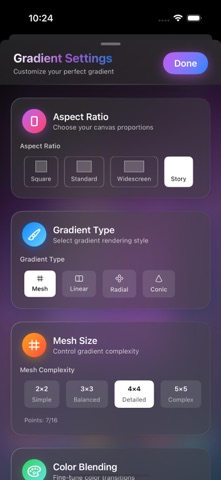
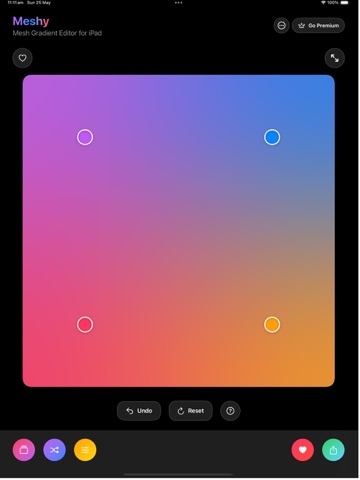
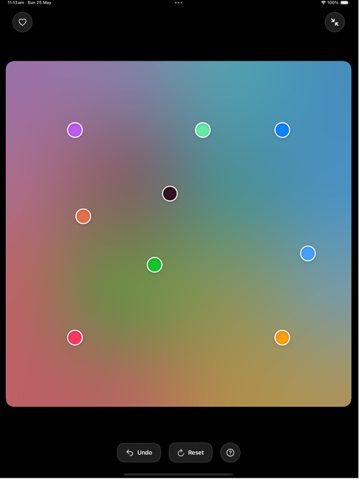
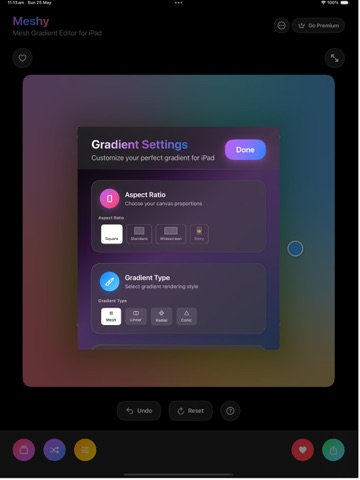
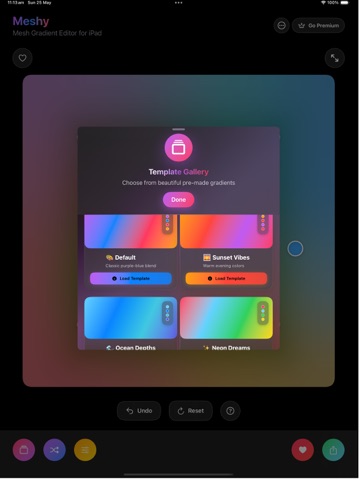
Spectrum - Create stunning abstract wallpapers and backgrounds with this powerful mesh gradient editor. Design beautiful gradients with precise control over every aspect of your creation. Key Features Gradient Creation: - Interactive mesh gradient editor with draggable control points - Multiple gradient types: Mesh, Linear, Radial, and Conic gradients - Adjustable mesh complexity (predefined sizes: 2x2, 3x3, 4x4, 5x5, and custom user-defined dimensions) - Real-time color editing with an intuitive system color picker interface - Multiple color interpolation methods (IDW, Bilinear, Nearest Neighbor, RBF, Linear RGB, Linear HSV) for smooth or distinct color transitions - Undo functionality (up to 10 history states) for reverting changes - Randomize gradient function for quick, serendipitous designs Customization Options: - Multiple aspect ratios: Square (1:1), Standard (4:3), Widescreen (16:9), and Phone Story (9:16) formats - Precise color control (RGB) for each gradient point - Template library with pre-designed gradient combinations (e.g., Sunset, Ocean, Neon, Forest, Cosmic, Fire, Ice, Aurora) - Ability to reset to the current template's default state - Quick action buttons for rapid editing workflow (e.g., add point, remove point, randomize) Export Capabilities: - High-resolution image export to Photos app - Multiple resolution options: Small, Medium, and Large formats (dynamic, e.g., 1080x1080 up to 4096x4096 for square, and proportionally scaled for other ratios) - Dynamic resolution scaling based on selected aspect ratio - Gradient data export as JSON (includes points, mesh size, aspect ratio, interpolation method, gradient type, and export resolution) for sharing configurations - Copy gradient settings (detailed text summary) to clipboard for easy transfer User Experience: - Minimizable controls interface for a distraction-free editing canvas - Haptic feedback for key interactions (e.g., point selection, adding/removing points, template loading, undo, color changes) - Toast notifications for non-intrusive feedback (e.g., export success, settings copied, errors) - In-app tips for new users (Drag Point, Add Point, Tap Point) Onboarding flow for first-time users - Help section with guidance and information - Favorites system to save and quickly access preferred gradients - Ability to name and save custom mesh sizes App & Support: - Settings view for app-level configurations - Contact support via native mail composer (if mail is configured) or copies support email to clipboard Premium Features: - Advanced export options and higher resolutions - Extended template library access - Additional customization tools and effects (e.g., specific color interpolation methods, Story aspect ratio, custom mesh sizes) - Access to all gradient types and mesh complexities Perfect for designers, artists, and anyone looking to create unique wallpapers and abstract backgrounds for their devices. Privacy Policy: https://meshy.karmaacademy.com.au/privacypolicy/ Terms of use: https://meshy.karmaacademy.com.au/privacypolicy/
Latest release
What’s New
- Updated the layout of the app - Enhanced the stickers view to have more text customisations, add photo as background. enhanced text animations, more text styles.
Audience growth
Ratings growth
Baseline captured. Growth appears after the crawler observes a changed rating count.
Momentum comes from crawler snapshots for the tracked storefront. “Viral growth signal” means unusually fast recent rating gains; it is an indicator, not download data.
Price tracking
Price intelligence
First snapshot captured. The trend line starts after the next crawler price observation.
- First observed Aug 14, 2026 · 9:57 PM Free
Screenshots