About this app
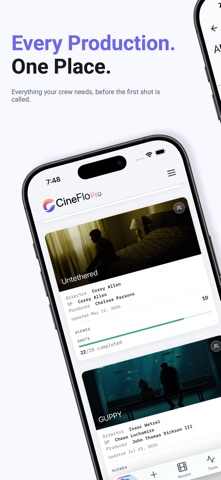
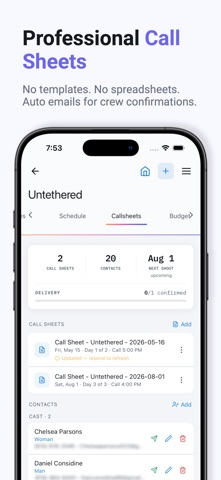
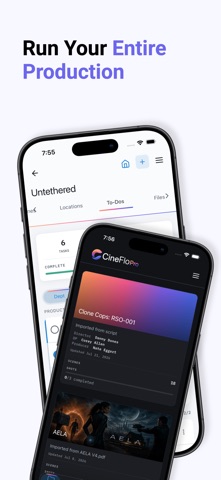
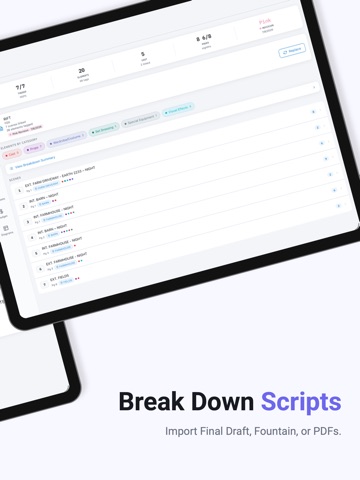
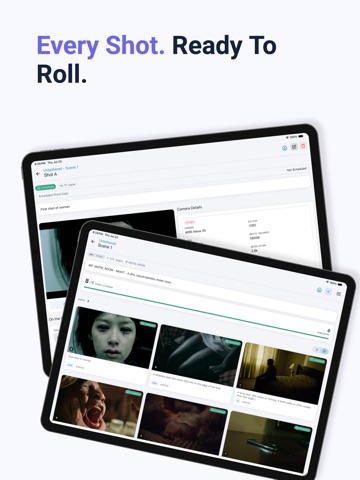
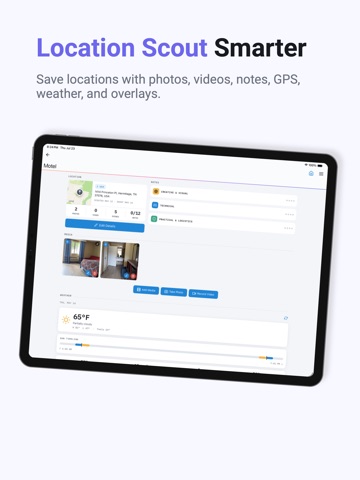
CineFlo is the all-in-one film production app for indie filmmakers, directors, cinematographers, and small crews. Plan faster, shoot smarter, and stay organized from prep to wrap — script breakdown, budgeting, shot listing, call sheets, day planning, location scouting, and on-set workflow. Whether you're directing a short, shooting a feature, or running a lean commercial crew, CineFlo turns creative ideas into a production-ready plan. Start Free with a Whole Production - A free account gets one project with every feature unlocked — unlimited scenes and shots, budget, script breakdown, schedules, call sheets, scouts, diagrams, to-dos, and imports - CineFlo Pro adds unlimited projects, collaborators, PDF export, and more storage Break Down Your Script - Import a screenplay (Final Draft, Fountain, or PDF) and match its scenes to your project - Tag elements across 15 industry-standard categories — Cast, Stunts, Props, Special Effects, Wardrobe, VFX, and more - Shared element library: rename or recategorize once and it updates everywhere - Revision-safe re-import that carries your tags forward and tracks omitted/new scenes - Export breakdown sheets, Day Out of Days, and print-ready Script Sides (Pro) Budget Your Production - Manage ATL/BTL/Post/Other accounts with 21 EP-standard defaults - Line items with quantity × rate math and a live Top Sheet (Budgeted, Committed, Actual, Est. Final, Variance) - Lock the budget for an approved baseline, then forecast with Estimate to Complete and Estimated Final Cost — so variance measures the projected finish, not money spent so far - Book purchase orders and actual costs to a specific line and see what's left, line by line - PO log with a full status workflow, actuals, and a cash flow chart - Reusable rate cards and stacking fringe presets (FICA, SAG, DGA, IATSE, and more) - Read the whole budget on a phone, or build it on a tablet - Export a full PDF cost report in EP Budgeting format (Pro) Plan Every Shot with Precision - Build detailed shot lists by project, scene, and setup - Track shot status (planned, in progress, completed, retake) - Add camera notes, lenses, movement, mood, blocking, and director notes - Swipe between shots without leaving the scene Run Production from One Place - Create and manage call sheets with cast, crew, schedule, and scene info - Email personalized call sheets and track "X of Y confirmed" delivery live - Schedule with a professional stripboard and calendar, using industry-standard strip colors - Save Filming Locations with address, linked scenes, and scouts — and autofill call sheet locations - Scout locations with media, notes, and a golden-hour forecast - Keep shared files, references, and production docs attached to projects Collaborate Your Way (Pro) - Share projects with your team and set each collaborator's access per tab — View, Edit, or Hidden - Editors can invite others by link or by email - Collaborators work under the owner's plan, so a shared project behaves the same for everyone Built for Real-World Set Conditions - Offline-first workflow with automatic cloud sync, and real-time updates when you're connected - Designed for fast use on set with responsive, touch-friendly screens Powerful Tools for Cinematographers - Depth of field, focal length, and exposure calculators for visual and technical prep - Reference utilities that speed up director, DP, and AD decisions on the day Import, Export, and Share - Import scripts (Final Draft, Fountain, PDF) and structured project data - Export shot lists and reports as CSV or text - Export production-ready PDFs — call sheets, cost reports, breakdown sheets, stripboards, and sides (Pro) If you're looking for a shot list app, call sheet app, script breakdown app, film budgeting tool, filmmaking planner, cinematography app, or indie film pre-production tool, CineFlo is built for you. Terms of Use: https://cineflo.com/terms
Latest release
What’s New
A BIGGER FREE PLAN A free account is now one project with everything unlocked — unlimited scenes and shots, plus Location Scouts, To-Do Lists, Shared Files, Schedules, Diagrams, Production Budget, Script Breakdown, and script/CSV import. You can plan a whole production from beginning to end for free. CineFlo Pro is what you upgrade to for unlimited projects, collaborators, PDF export, and 5 GB of media storage. Existing free accounts keep the projects they signed up under. BUDGET COST REPORTING • Lock a budget to turn the approved figures into a baseline, then track Original against Revised as the show changes. • Each line takes an Estimate to Complete, which drives an Estimated Final Cost of actual + committed + ETC. Variance now measures budget against projected final cost, the way a production cost report does. • Book purchase orders and actual costs to a specific budget line and see Budgeted, Committed, Actual, and Remaining per line, with a spend bar per account. • Switch the line view between Estimate and Cost Report. • Read the whole budget on a phone — categories, departments, then lines with budget, spent, and remaining. • Export a PDF cost report carrying budgeted, committed, actual, ETC, EFC, and variance for every line. ALSO NEW • Delete scenes in bulk from scene selection mode, with a count of the shots that go with them. • A free trial on the monthly plan, alongside the annual one. • Editors on a shared project can now create and email invite links. • A glossary explaining the cost-report vocabulary, in Settings. IMPROVED • The tab bar and headers are made of real glass, on every theme, and grow with your text size. • Dropdowns now show how many options they hold, open on your current selection, and offer search on long lists. FIXED • Accepting a project invite works again. • Call sheet emails arrive with their PDF attached, and call sheet preview works on shared projects. • Screens no longer error out on a brand-new or offline project. • Re-importing a script no longer duplicates or resurrects scenes. • Tapping a button twice quickly no longer does the thing twice.
Audience growth
Ratings growth
Baseline captured. Growth appears after the crawler observes a changed rating count.
Momentum comes from crawler snapshots for the tracked storefront. “Viral growth signal” means unusually fast recent rating gains; it is an indicator, not download data.
Price tracking
Price intelligence
First snapshot captured. The trend line starts after the next crawler price observation.
- First observed Aug 18, 2026 · 3:55 PM Free
Screenshots