About this app
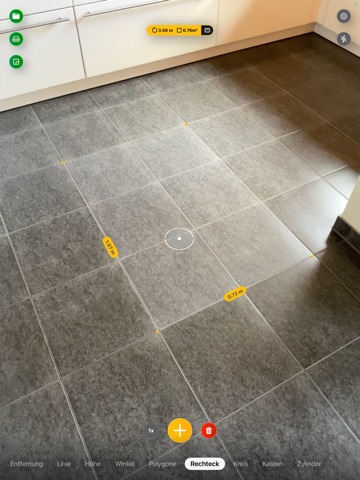
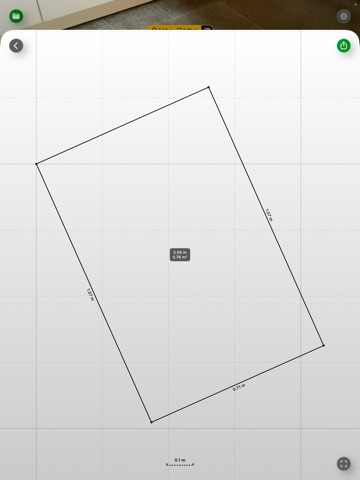
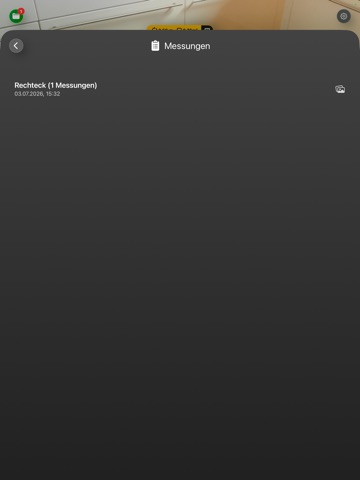
AR Ruler – Measure with Camera Turn your smartphone into a powerful AR measuring tool with AR Ruler – Measure with Camera! Using augmented reality measurement technology, this 3D measurement app transforms your phone’s camera into a virtual measuring tape, allowing you to measure distances, angles, object sizes, and more with just a few taps. Whether you’re measuring a room, checking dimensions for furniture, or working on DIY projects, our AR ruler provides fast and precise results. Key Features of AR Ruler – Measure with Camera AR Tape Measure – Measure Linear Distances Use your phone’s camera as an AR measuring tape to calculate linear dimensions quickly and accurately. Whether measuring in centimeters, meters, or inches, our AR ruler app ensures precise distance measurement for home, work, and personal projects. Distance Measurement App – Measure in Real-Time Want to know how far an object is? Our distance measurement app uses ARKit-powered 3D detection to instantly measure the distance from your camera to any fixed point in your surroundings. Perfect for interior design, real estate, and DIY tasks! Angle Measurement App – Find Precise Angles Need to measure an angle? Our AR measuring tool detects 3D planes and helps you find exact angles on surfaces in seconds. Great for professionals like architects, engineers, and carpenters! Path Measurement – Calculate Total Lengths Use the path measurement tool to measure the total length of a custom path. Whether you’re calculating the perimeter of a room, the length of a hallway, or a curved object, our AR measuring app makes it easy. Height Measurement Tool – Measure Vertical Distances Measure height relative to a surface with ease! Our height measurement tool lets you check room heights, furniture dimensions, or even a person’s height using augmented reality. Screenshot and Save Your Measurements Need to keep a record? With one tap, take a screenshot of your measurements and save it to your Gallery for later reference. Perfect for sharing with colleagues, friends, or customers! Why Choose AR Ruler – Measure with Camera? Accurate & Fast – Thanks to ARKit, our 3D measurement app provides precise results Easy to Use – Simple controls let you start measuring instantly—no special tools required Multiple Measurement Modes – From an AR tape measure to a distance and height measurement tool, everything you need is here Works Anywhere – Whether indoors or outdoors, our augmented reality measurement app adapts to your environment Ideal for Professionals & Everyday Users – Whether you’re an architect, designer, real estate agent, or DIY enthusiast, our AR measuring tool is the perfect assistant How It Works: Open AR Ruler – Measure with Camera and allow access to your camera Point your device at a flat surface to detect a 3D plane Select a measurement mode: AR tape measure, distance, angle, path, or height measurement Tap to start measuring and get instant results Save or share your measurements with a single tap Important Note: This AR measuring app requires ARKit, a cutting-edge AR technology to provide high-accuracy 3D measurements. Ensure your device supports ARKit for the best performance. Download AR Ruler – Measure with Camera today and experience the power of augmented reality measurement in the palm of your hand! Terms of use (EULA): https://www.apple.com/legal/internet-services/itunes/dev/stdeula/
Latest release
What’s New
We added the following: • You can now take a screenshot of the current view (All UI elements will be hidden). • When the cursor snaps to a point, you will receive a haptic feedback.
Audience growth
Ratings growth
Momentum comes from crawler snapshots for the tracked storefront. “Viral growth signal” means unusually fast recent rating gains; it is an indicator, not download data.
Price tracking
Price intelligence
- First observed Aug 26, 2026 · 11:52 PM Free
Screenshots