About this app
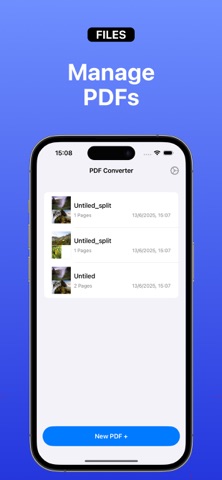
PicPDF is your complete solution for creating, editing, and managing PDF files directly from your iPhone or iPad. Designed for both casual users and professionals, PicPDF offers a seamless and efficient way to turn your photos, scanned documents, or existing PDFs into customized, high-quality PDF files. With PicPDF, you can effortlessly generate PDF documents from your camera or photo library. Whether you’re digitizing paper documents, converting class notes, saving receipts, or creating multi-page reports, PicPDF makes the process fast and simple. Key Features: - Generate PDF from Pictures: Select one or more images from your camera roll or take new photos to instantly convert them into a single PDF file. - Scan Documents: Use your device's camera to scan paper documents with auto-detection and perspective correction for professional results. - Import Existing PDFs: Open and edit PDF files already stored on your device or in cloud storage apps. - Custom Layout System: Arrange, crop, rotate, or resize images before converting. Use the layout system to fit images exactly how you want them in your final PDF. - PDF Management Tools: Edit your PDFs with built-in tools that allow you to split large documents, merge multiple PDFs into one, or delete specific pages with ease. PicPDF is ideal for students, business professionals, freelancers, or anyone who deals with PDFs regularly. It’s designed to give you complete control over your documents without needing a computer or expensive software. Take your productivity to the next level with PicPDF – the all-in-one PDF creator and editor in your pocket. The app includes a one-year subscription for full access to all features. Privacy Policy: https://muze.lt/privacy-policy-for-picpdf Terms & Conditions: https://muze.lt/terms-and-condition-for-picpdf
Latest release
What’s New
• PDF file size shown before export • Fixed crashes when creating PDF • General performance improvements
Audience growth
Ratings growth
Momentum comes from crawler snapshots for the tracked storefront. “Viral growth signal” means unusually fast recent rating gains; it is an indicator, not download data.
Price tracking
Price intelligence
- First observed Aug 6, 2026 · 7:36 AM Free
Screenshots