About this app
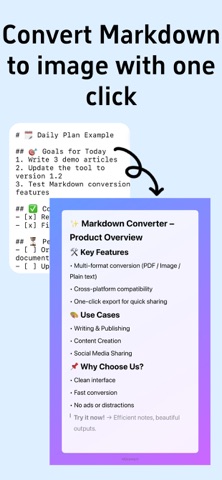
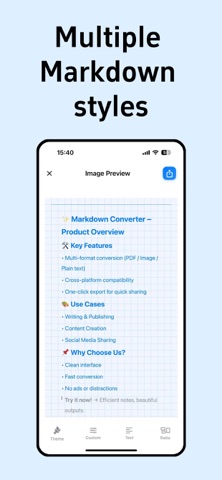
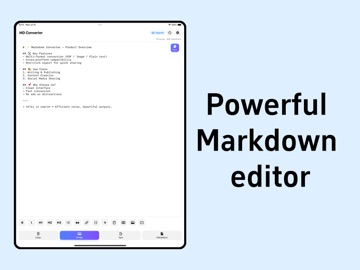
Transform Markdown into Professional Documents & Beautiful Cards! MDconvert is the ultimate markdown editor, converter, and document creator for iOS. Perfect for developers, writers, students, bloggers, and content creators who need powerful text processing and professional document generation. CORE FEATURES: • Advanced Markdown Editor - Syntax highlighting, live preview, auto-complete • Multiple Export Formats - PDF, Word (.docx), HTML, plain text, high-res images • Beautiful Card Styles - 8+ professional themes for social media sharing • Real-time Preview - WYSIWYG editing experience with instant rendering • Document Templates - Pre-designed layouts for notes, reports, presentations • Code Syntax Highlighting - Support for 50+ programming languages • Table & Math Support - LaTeX equations, complex tables, diagrams • Multi-language Interface - English, Chinese, with more coming soon PROFESSIONAL DOCUMENT EXPORT: • PDF Generator - Publication-ready documents with custom formatting • Word Export - Full .docx compatibility with styles and formatting • HTML Output - Clean, semantic markup for web publishing • Image Export - High-resolution PNG/JPEG for presentations and social media • Batch Processing - Convert multiple files simultaneously • Custom Styling - Fonts, colors, margins, headers, footers VISUAL CARD CREATION: • Social Media Ready - Instagram, Twitter, LinkedIn optimized formats • Code Snippet Cards - Beautiful syntax-highlighted code sharing • Quote Cards - Elegant typography for memorable quotes • Note Cards - Perfect for study materials and knowledge sharing • Custom Watermarks - Brand your content with personalized marks • Multiple Aspect Ratios - Square, portrait, landscape formats PREMIUM FEATURES (One-time $9.99): • Advanced Card Themes - Paper texture, Mac code editor, spiral notebook • Watermark Removal - Clean, professional output without branding • Custom Watermarks - Add your own text or logo watermarks • Word Document Export - Full Microsoft Word compatibility • Multiple Rendering Styles - Choose from various markdown interpretations • Ad-Free Experience - Distraction-free writing and editing • Priority Support - Direct access to development team PRIVACY & SECURITY: • 100% Local Processing - No cloud uploads, complete privacy protection • Offline Functionality - Full features without internet connection • No Data Collection - Zero tracking, analytics, or personal data storage • Open Source Transparency - Code available for security auditing • GDPR Compliant - European privacy standards compliance PERFECT FOR: • Software Developers - Documentation, README files, code snippets • Technical Writers - API docs, tutorials, user guides • Students & Educators - Notes, assignments, research papers • Bloggers & Content Creators - Articles, social media content • Business Professionals - Reports, proposals, presentations • Researchers & Academics - Papers, citations, documentation WHY CHOOSE MDCONVERT: • Lightning Fast - Optimized for iOS with native performance • Intuitive Interface - Clean, distraction-free design • Regular Updates - Continuous improvements and new features • Excellent Support - Responsive customer service team • One-Time Purchase - No subscriptions, own it forever • Universal App - Optimized for all iPhone sizes Download MDconvert today and revolutionize your markdown workflow! Join thousands of satisfied users who've made the switch to professional document creation. Keywords: markdown, editor, converter, pdf, word, export, document, text, productivity, developer, writer, code, syntax, highlighting, preview, themes, cards, social, media, sharing, notes, blog, technical, writing, documentation
Latest release
What’s New
Optimize the experience of some features
Audience growth
Ratings growth
Baseline captured. Growth appears after the crawler observes a changed rating count.
Momentum comes from crawler snapshots for the tracked storefront. “Viral growth signal” means unusually fast recent rating gains; it is an indicator, not download data.
Price tracking
Price intelligence
First snapshot captured. The trend line starts after the next crawler price observation.
- First observed Sep 8, 2026 · 2:52 AM Free
Screenshots