About this app
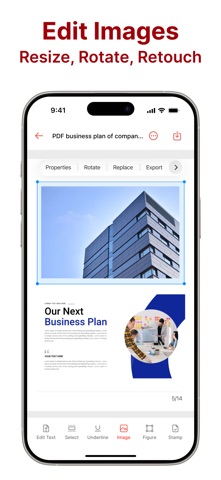
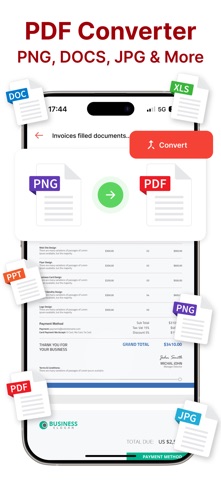
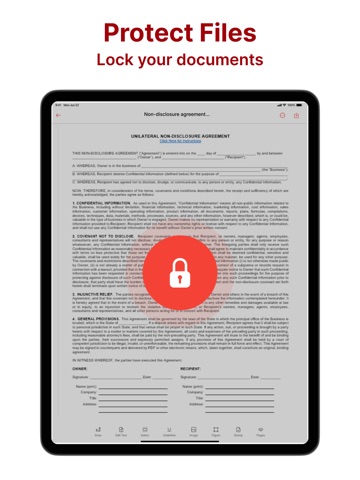
All-in-One PDF Editor – Your Complete Document Solution Transform any device into a professional PDF workspace. Our comprehensive app combines all essential tools in one place, letting you create, edit, convert, and scan documents anywhere, anytime. Complete Editing Control Edit text and images directly within PDFs. Make quick adjustments or complete document overhauls with intuitive tools. Add professional annotations including highlights, underlines, and sticky notes for seamless collaboration. Try the Pro version for full access to advanced PDF text editing capabilities. Smart Scanning Technology Scan documents, books, IDs, passports, and business cards with precision. Advanced edge detection and clarity enhancement automatically optimize your scans before saving directly to PDF format. Upgrade to Pro to unlock our professional PDF scanner with unlimited scans. Instant Digital Signatures Add your electronic signature in seconds and reuse it across contracts, agreements, and invoices. Streamline your approval process with one-tap signing functionality. Pro version includes unlimited e-signature and form filling capabilities. Universal Format Converter Transform your documents between any format effortlessly. Convert PDFs to DOC, DOCX, JPG, PNG, CSV and vice versa. Extract text from scanned documents with OCR technology or transform images and photos into polished PDF files. Smart recognition ensures accuracy across all conversions. Experience unlimited file conversions with Pro version access. Professional PDF Editing Made Simple Full-featured PDF solution without the steep learning curve. Powerful tools designed for immediate productivity, whether you're a beginner or expert. Try the Pro version and have complete access to the editor with all premium features unlocked. Document Creation and Organization Create blank PDFs for notes and forms. Effortlessly combine multiple PDF files into single documents. Add, remove, or rearrange pages to customize your files exactly as needed. Seamless Sharing and Access Browse your organized PDF library with ease. Print documents directly from the app or share files instantly via email, cloud storage, or messaging platforms. Your documents are always accessible when you need them. Designed for professionals who demand accuracy, efficiency, and mobility. Whether finalizing contracts, preparing reports, or managing critical paperwork on the go, our tools remain responsive, reliable, and ready for any task. Unlock Full Potential with Pro Version Edit PDF Text, Convert Files, PDF Scanner, and E-sign & Fill are all part of the Pro version. Try the Pro version and have complete access to the editor with all advanced features at your fingertips. Privacy Policy - https://docs.google.com/document/d/16ca-D3QztY71iRZNz67LPvMY0btYako2KRkCORCE9-M/edit Terms & Conditions - https://docs.google.com/document/d/1769ie2DtbxBNRxnLQ6XSMzlTHvtHfAnMqxzMaLqc2yM/edit
Latest release
What’s New
Minor bug fixes
Audience growth
Ratings growth
Baseline captured. Growth appears after the crawler observes a changed rating count.
Momentum comes from crawler snapshots for the tracked storefront. “Viral growth signal” means unusually fast recent rating gains; it is an indicator, not download data.
Price tracking
Price intelligence
First snapshot captured. The trend line starts after the next crawler price observation.
- First observed Aug 20, 2026 · 12:54 PM Free
Screenshots