About this app
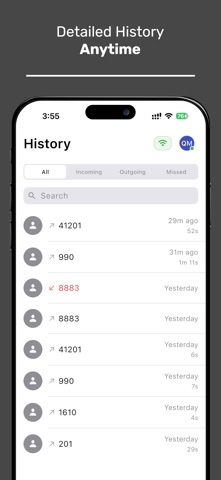
Stay connected with your team no matter where you are. DashCall lets you use your office phone extension right from your mobile device—perfect for remote work, travel, or working from home. Key Features: - Make and receive calls using your office extension - High-quality audio and secure communication - Easy QR code setup – no complex configuration needed - Works seamlessly with your existing DashCall system How to Get Started: 1. Install DashCall on your device 2. Open the app and allow camera and microphone access 3. Scan the QR code from your DashCall dashboard 4. You’re ready to make and receive calls! Note: DashCall requires an active DashCall system. This app is not a standalone dialer.
Audience growth
Ratings growth
Baseline captured. Growth appears after the crawler observes a changed rating count.
Momentum comes from crawler snapshots for the tracked storefront. “Viral growth signal” means unusually fast recent rating gains; it is an indicator, not download data.
Price tracking
Price intelligence
First snapshot captured. The trend line starts after the next crawler price observation.
- First observed Oct 7, 2026 · 11:27 PM Free
Screenshots