About this app
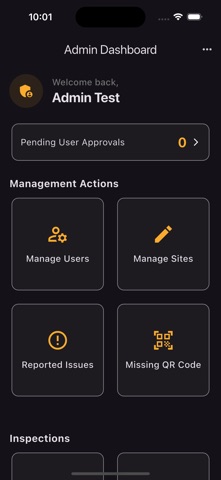
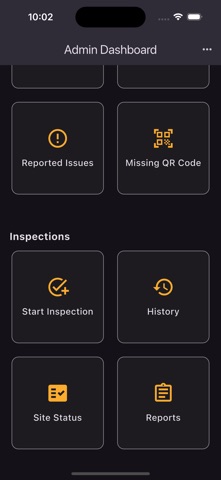
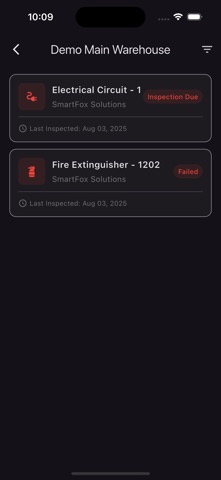
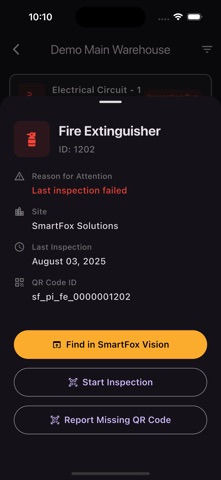
ProInspect - A smarter way to perform inspections ProInspect is a comprehensive field inspection and asset management solution for safety equipment, cameras, and facility assets. Built for inspectors, managers, and service teams who need reliable mobile tools that work offline. KEY FEATURES: Inspection Management • QR code scanning for instant asset lookup • Photo documentation with automatic compression • Offline queue with automatic retry • Flexible inspection intervals Work Order System • Create and assign work orders • Calendar view for scheduling • Bulk creation from asset status • Track completion and history Asset Tracking • Fire extinguishers, cameras, AEDs, exit signs, and more • Serial number change detection • Compliance status at a glance • Detailed inspection history Business Tools • Customer and site management • Invoice generation with PDF export • Parts catalog with barcode scanning • Service catalog with rates • Compliance reporting Enterprise Ready • Role-based access (Inspector, Notifier, Admin, Manager, Installer) • Multi-site support with customer grouping • Pagination for large deployments • Push notifications for issues and updates
Latest release
What’s New
MOBILE EQUIPMENT Pre-use inspections for the machines that move: forklifts and rough terrain forklifts, front end loaders, skid steers, boom and scissor lifts, pickup trucks and utility vehicles. Each type carries the checklist from its own pre-use form, so what you tick on screen matches the paper it replaces. Work the checklist with the engine off, then again with it running, and record the hour meter — or the odometer, on a truck — as you go. A reading lower than last time stops the check and asks you to confirm the meter was replaced, because a number that went backwards is either a typo or a different machine. OUT OF SERVICE Checklists can now mark the components that matter. Fail one of those and the machine is taken out of service with a DO NOT OPERATE notice, and it stays that way until someone explicitly releases it — a later passing inspection will not quietly clear it. Taking a machine out of service can raise the work order for its own repair, and your administrator can let field staff return equipment to service without chasing a manager. Both are company settings, off unless you turn them on. FIXES Photos queued while you are out of signal no longer report themselves as lost while they are safely waiting to upload. Corrected several screens where buttons and labels could run off the edge on smaller phones.
Audience growth
Ratings growth
Baseline captured. Growth appears after the crawler observes a changed rating count.
Momentum comes from crawler snapshots for the tracked storefront. “Viral growth signal” means unusually fast recent rating gains; it is an indicator, not download data.
Price tracking
Price intelligence
First snapshot captured. The trend line starts after the next crawler price observation.
- First observed Aug 31, 2026 · 6:09 AM Free
Screenshots