About this app
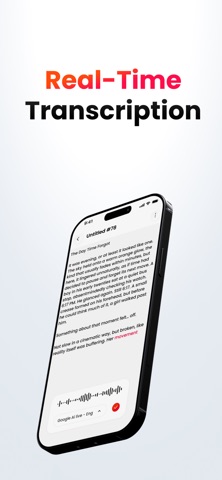
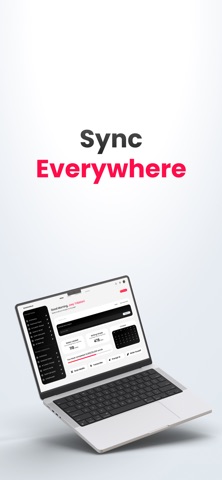
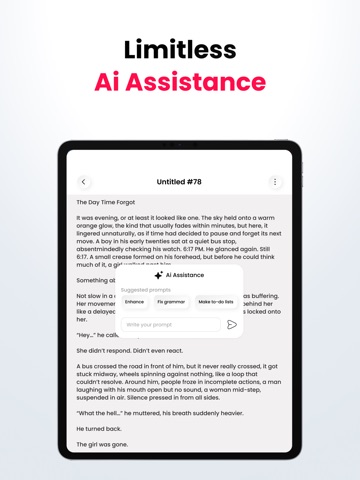
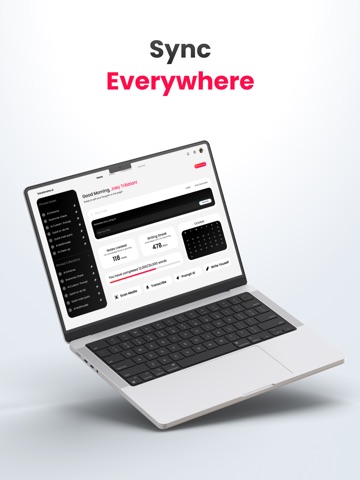
VoiceToNotes AI is an advanced AI transcription, speech-to-text, and voice dictation app designed for meetings, lectures, interviews, productivity workflows, and professional note-taking. Instantly convert speech into accurate, structured transcripts using powerful AI speech recognition and smart formatting tools. Transcribing meetings, capturing classroom lectures, recording interviews, brainstorming ideas, creating content, or using hands-free voice typing, VoiceToNotes AI helps you save time and improve productivity with fast and reliable speech transcription. AI TRANSCRIPTION & SPEECH TO TEXT Convert spoken words into clean and organized text instantly with advanced AI-powered speech recognition. • Real-time AI transcription • Fast speech-to-text conversion • Accurate voice typing and dictation • High accuracy across different accents • Smooth and responsive transcription experience • Hands-free productivity tools VoiceToNotes AI is built for professionals, students, creators, writers, teams, and productivity-focused users who need fast and accurate voice transcription. MEETING TRANSCRIPTION & LECTURE NOTES Capture important conversations and organize them into professional transcripts instantly. • AI meeting transcription • Lecture transcription and study notes • Interview transcription • Voice memos and spoken reminders • Brainstorming and idea capture • Business discussions and work notes • Podcast and content planning SMART FORMATTING & ORGANIZED TRANSCRIPTS Unlike basic voice typing apps, VoiceToNotes AI automatically formats transcripts into clean and readable text. • Smart punctuation and formatting • Organized paragraphs and structured notes • Easy-to-read transcripts • Clean formatting for meetings and lectures • Faster editing and note organization • Ready-to-share transcript formatting AI WRITING & TRANSCRIPT TOOLS Improve and refine transcripts instantly using built-in AI writing features. • Rewrite and improve text • Summarize long transcripts • Improve grammar and sentence clarity • Change writing tone and style • Turn rough transcripts into polished notes • Create professional content faster VOICE DICTATION & VOICE TYPING Use VoiceToNotes AI as a fast and reliable AI dictation tool for productivity and content creation. • Fast voice typing experience • AI-powered dictation tools • Speak naturally and capture ideas instantly • Great for notes, writing, and drafts • Easy speech input for productivity workflows PHOTO TO TEXT (OCR) Extract text from images, screenshots, and documents instantly. • Convert photos into editable text • OCR image-to-text extraction • Capture text from screenshots and documents • Copy and edit extracted text easily MULTI-LANGUAGE TRANSCRIPTION VoiceToNotes AI supports multiple languages for speech recognition and transcription. • Accurate multilingual transcription • Great for global users and professionals • Multi-language voice typing and dictation EXPORT & SHARE Save and share transcripts easily across your workflow. • Copy transcripts instantly • Export notes and transcripts • Share text quickly with apps and teams • Access saved transcripts anytime PRIVACY & SECURITY Your recordings and transcripts stay secure. • Full control over your data • No hidden syncing • Reliable and secure speech processing WHO IS VOICETONOTES AI FOR? • Professionals and remote teams • Students and researchers • Writers, creators, and bloggers • Journalists and interviewers • Productivity and business users WHY CHOOSE VOICETONOTES AI? • Accurate AI transcription • Fast speech-to-text conversion • AI dictation and voice typing • Smart transcript formatting • AI writing and summary tools • OCR photo-to-text support • Multi-language speech recognition • Productivity-focused workflow tools SUBSCRIPTIONS & TERMS • Privacy Policy: https://voicetonotes.ai/privacy-policy/ • Terms of Use (EULA): https://voicetonotes.ai/terms/
Latest release
What’s New
Share your thoughts with more people! Seamlessly share your ideas with everyone or specific friends.
Audience growth
Ratings growth
Baseline captured. Growth appears after the crawler observes a changed rating count.
Momentum comes from crawler snapshots for the tracked storefront. “Viral growth signal” means unusually fast recent rating gains; it is an indicator, not download data.
Price tracking
Price intelligence
First snapshot captured. The trend line starts after the next crawler price observation.
- First observed Aug 19, 2026 · 9:40 AM Free
Screenshots