About this app
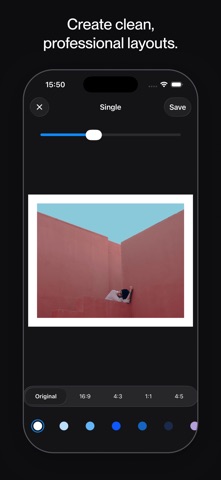
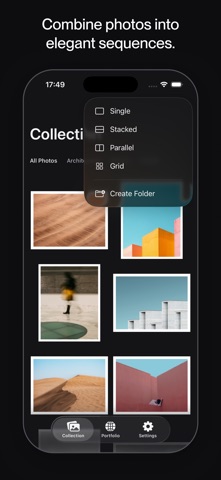
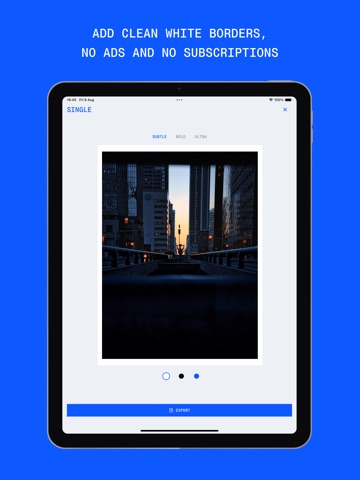
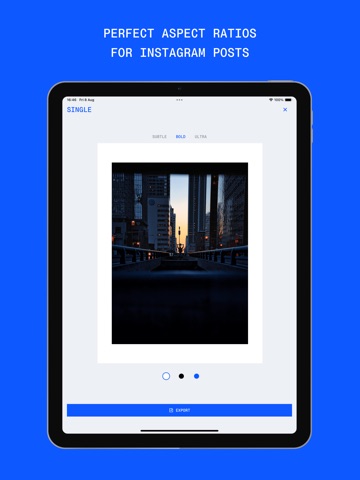
Bordr helps you turn individual photos into beautiful compositions, curated collections, and shareable portfolios. Create clean borders, elegant layouts, photo grids, and visual sequences in seconds. Whether you’re a photographer, designer, architect, creator, or simply someone who loves sharing photos, Bordr makes it easy to present your work with intention. No complicated editing tools. No filters. No distractions. Just simple tools for creating beautiful photo presentations. FEATURES • Clean Photo Borders Add elegant borders to any photo with adjustable thickness and multiple color options. • Multiple Layouts Create single photo layouts, side-by-side comparisons, stacked compositions, and photo grids with a few taps. • Visual Storytelling Combine photos into sequences that help tell a story, compare moments, or showcase a project. • Curated Collections Save your favorite creations and build a growing collection of your work directly inside Bordr. • Shareable Web Portfolio Turn your collection into a personal online portfolio and share it with a simple link. • Flexible Aspect Ratios Export for Instagram, social media, portfolios, presentations, or personal projects. • High Quality Export Save your images in high resolution while preserving image quality. • Fast and Private No account required. No tracking. Your photos stay on your device. PERFECT FOR • Photography portfolios • Architecture photography • Interior design projects • Creative portfolios • Instagram posts • Photo journals • Travel photography • Moodboards • Before and after comparisons • Visual storytelling WHY BORDR? Most photo apps focus on editing. Bordr focuses on presentation. The goal is simple: help your photos look more intentional, more consistent, and more professional. Create layouts. Build collections. Share your portfolio. One photo at a time.
Latest release
What’s New
- Fresh photos on the Portfolio “Set it up” card - Setup checklist now keeps finished steps visible, so you can see what’s done and what’s next - Checklist comes back if you delete your portfolio and start over - Bug fixes and polish
Audience growth
Ratings growth
Baseline captured. Growth appears after the crawler observes a changed rating count.
Momentum comes from crawler snapshots for the tracked storefront. “Viral growth signal” means unusually fast recent rating gains; it is an indicator, not download data.
Price tracking
Price intelligence
First snapshot captured. The trend line starts after the next crawler price observation.
- First observed Aug 15, 2026 · 3:10 PM Free
Screenshots