About this app
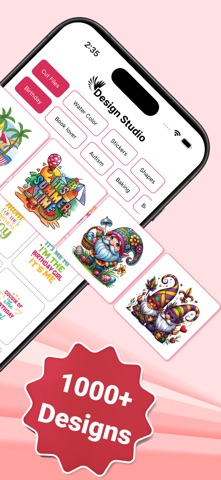
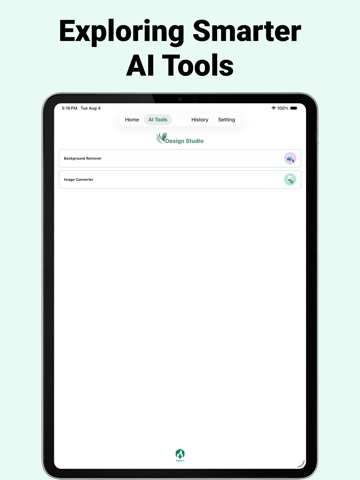
Design Space for Cricut is a powerful all-in-one design studio for iOS, built to help you create custom stickers, monograms, SVG cut files, and more. Whether you’re a professional designer or a DIY creator, this app makes it easy to turn your ideas into stunning visuals with AI-powered tools and a simple, intuitive interface. Key Features Sticker & Shape Templates Explore a wide collection of ready-to-use templates. Create, customize, and export high-quality stickers and shapes for personal or business projects. Background Remover Remove backgrounds instantly for clean, professional results—perfect for product images, social media, and design assets. Image Converter Convert images into PNG, JPG, SVG, and more. Export in high resolution for print, web, or digital use. AI Monogram Generator Create unique monograms in seconds. Customize fonts, colors, and styles for branding, gifts, or personal designs. AI Cut Files Generate precise, cut-ready files for Cricut, Silhouette, vinyl cutting, and laser engraving. Why Choose Design Space for Cricut on iOS? • AI-powered tools to speed up your workflow • All-in-one design suite in your pocket • Smooth, optimized performance for iOS devices • Built for designers, creators, and small businesses More Features • Start from templates or create from scratch • Export designs for web, print, and social media • High-quality rendering for professional results Who It’s For • Designers creating digital assets and mockups • Small businesses building branding and products • Content creators making visuals for social media • DIY makers crafting personalized projects Get Started Today Download Design Space for Cricut on iOS and unlock a powerful creative platform. Design, edit, and export with ease—anytime, anywhere. Privacy Policy: [https://sites.google.com/view/kmapps/privacy-policy](https://sites.google.com/view/kmapps/privacy-policy) Terms of Use: [https://sites.google.com/view/kmapps/terms-of-use](https://sites.google.com/view/kmapps/terms-of-use)
Latest release
What’s New
- Bug Fixed
Audience growth
Ratings growth
Baseline captured. Growth appears after the crawler observes a changed rating count.
Momentum comes from crawler snapshots for the tracked storefront. “Viral growth signal” means unusually fast recent rating gains; it is an indicator, not download data.
Price tracking
Price intelligence
First snapshot captured. The trend line starts after the next crawler price observation.
- First observed Aug 8, 2026 · 4:46 PM Free
Screenshots