About this app
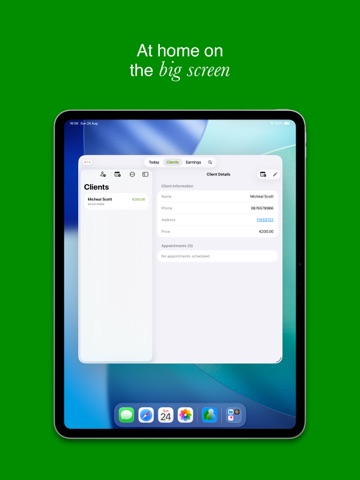
Run your service business without bloated software. ClientBase is a client and job manager for tradespeople, cleaners, gardeners, car valeters, and independent professionals who want simple control over bookings, clients, expenses, and payments. No sign-up or clutter. Just the tools you need to run your business. Smart Scheduling Create one-off or recurring jobs, block non-working days, and catch schedule conflicts before they cost you time. When a slot clashes, ClientBase can suggest the next available time. Client Profiles Built for Real Work Store contact details, notes, tags, services, and full job history in one place. Call, message, or open directions in a tap. Payments and Professional Invoicing See unpaid completed jobs at a glance. Mark jobs as paid quickly. Generate and share PDF invoices from custom entries, unpaid jobs, or statement selections. Expenses & Receipts Track income and expenses, attach receipt images/PDFs, and scan receipts in-app. Business Analytics View day, week, month, and year trends for revenue, expenses, and net profit, plus client performance insights. Fast Search Find clients by name, phone number, address, notes, or tags. In Bookings, search by client or service to schedule faster. Private and In Your Control ClientBase stores your business data on-device with Core Data. No account required to start. Export/import backups anytime with no lock-in. Optional integrations Use Apple Calendar sync (one-way), weather planning, widgets, and CarPlay support. Free to start. ClientBase Pro unlocks unlimited jobs. Terms of Use: https://www.apple.com/legal/internet-services/itunes/dev/stdeula/ Privacy Policy: https://daraghbee.github.io/ClientBase-PrivacyPolicy/
Latest release
What’s New
Fixes to weather appearance, performance and simplified the Profile view. More bug fixes too!
Audience growth
Ratings growth
Baseline captured. Growth appears after the crawler observes a changed rating count.
Momentum comes from crawler snapshots for the tracked storefront. “Viral growth signal” means unusually fast recent rating gains; it is an indicator, not download data.
Price tracking
Price intelligence
First snapshot captured. The trend line starts after the next crawler price observation.
- First observed Sep 4, 2026 · 2:38 AM Free
Screenshots