About this app
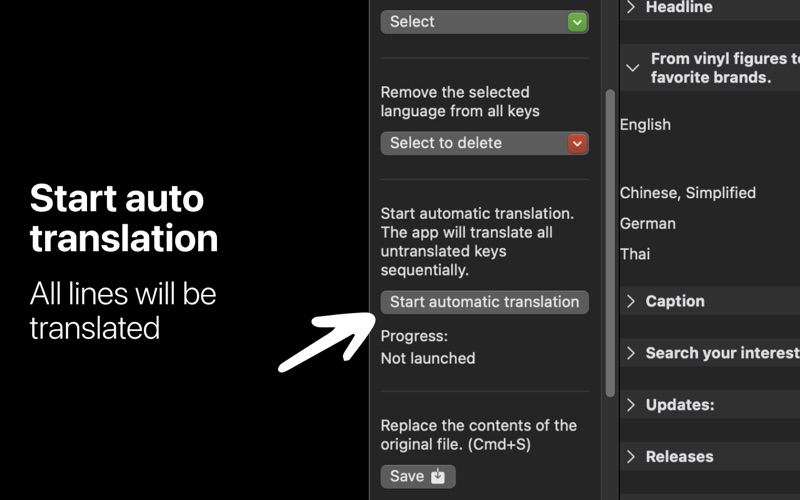
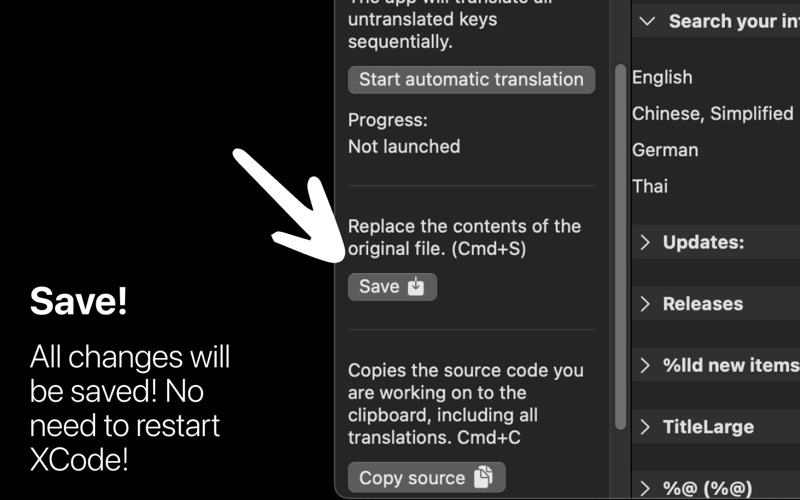
Utility for localizing .xcstrings on macOS with automatic translation via OpenAI. Loads Localizable.xcstrings, adds languages, translates empty strings based on the app context, shows progress, and copies the updated JSON to the clipboard. Features Import Localizable.xcstrings by simply dragging the file into the window. Display all keys and localizations as a grid. Auto-add selected languages to all keys at once. Translate empty values, individually via the row context menu, in bulk with the Start auto translation button. App context to improve translation quality. Show auto-translation progress and an empty-strings counter. Copy the current .xcstrings to the clipboard in a “clean” form (without null). View the source in “Source” mode with syntax highlighting. The About tab displays Readme.md from the bundle. Quick start Settings → enter the API key → drag in Localizable.xcstrings. Workbench → optionally describe the app in the “Describe the specifics…” field. Click Select → Add all or add the required languages one by one. Start auto translation to translate all empty values. If needed, translate a specific string: right-click the row → Translate. The Copy source button copies the current .xcstrings to the clipboard. The Source / Grid toggle switches between the list and the source view. How it works The app parses Localizable.xcstrings as JSON. The base language is taken from sourceLanguage. For each key, localizations are expected under localizations[lang].stringUnit. If a localization is missing, an empty value with state: "new" is created. Bulk or single translation sends a request to OpenAI and saves the result to value, changing state to translated. When copying the source, all null values are removed recursively. email: udevwork@gmail.com TERMS https://cerulean-seashore-a5a.notion.site/TERMS-CONDITIONS-xcstringer-24c182410a8e80489b69f1c8abc62b80?pvs=74 PRIVACY https://cerulean-seashore-a5a.notion.site/PRIVACY-POLICY-xcstringer-24c182410a8e80b9b68def1ab2c48239
Latest release
What’s New
bug fix and localization
Audience growth
Ratings growth
Baseline captured. Growth appears after the crawler observes a changed rating count.
Momentum comes from crawler snapshots for the tracked storefront. “Viral growth signal” means unusually fast recent rating gains; it is an indicator, not download data.
Price tracking
Price intelligence
First snapshot captured. The trend line starts after the next crawler price observation.
- First observed Aug 8, 2026 · 11:32 AM $5.99
Screenshots