About this app
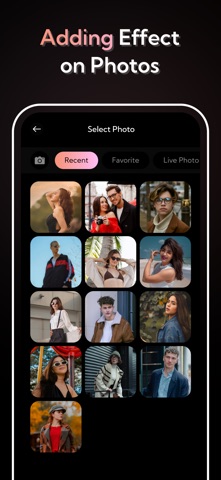
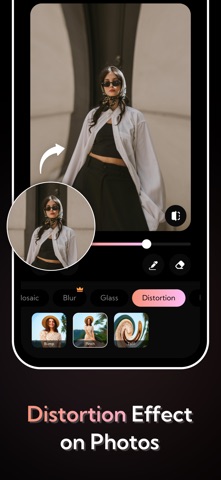
Blur and Censor Photos Instantly Mosaic Blur Photo Cam is the fastest way to hide, pixelate, or blur sensitive parts of your photos. Whether you want to protect privacy, remove unwanted details, or add a stylish effect, this app gives you simple, powerful editing tools. With multiple blur styles and adjustable intensity, you can customize the look exactly how you want. Capture directly with the camera or edit photos from your gallery. Key Features: Mosaic & Pixel Blur: Perfect for hiding faces, text, or backgrounds. Adjustable Intensity: Control the strength of blur for perfect results. Live Camera Blur: Apply blur while taking photos. Selective Blur: Tap and drag to blur specific areas. High-Resolution Output: Save and share without losing quality. Simple Interface: Fast and easy editing for all skill levels. Ideal For: Hiding sensitive information Blurring faces or license plates Adding creative focus effects Creating stylish pixel art looks Protect privacy or create artistic effects—Mosaic Blur Photo Cam makes it quick and effortless. To find out more about automatic subscription renewals: Ad-free version Create Unlimited different blur effect image Premium Subscription : MosBlur One Week - 6.99 USD MosBlur One Year - 44.99 USD Your payment will be charged to your iTunes Account.The app offering is auto-renewable subscriptions For More Information : Privacy Policy : http://hktechnoapps.com/pages/Privacy%20Policy.html Terms of Use : http://hktechnoapps.com/pages/Terms%20Of%20Use.html
Audience growth
Ratings growth
Baseline captured. Growth appears after the crawler observes a changed rating count.
Momentum comes from crawler snapshots for the tracked storefront. “Viral growth signal” means unusually fast recent rating gains; it is an indicator, not download data.
Price tracking
Price intelligence
First snapshot captured. The trend line starts after the next crawler price observation.
- First observed Aug 10, 2026 · 5:57 PM Free
Screenshots