About this app
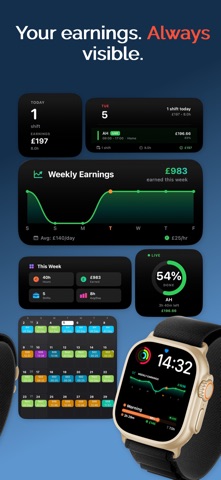
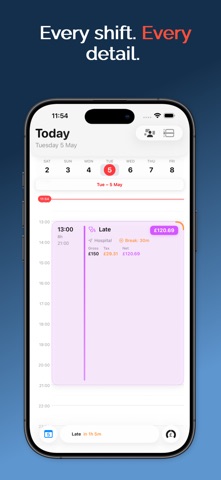
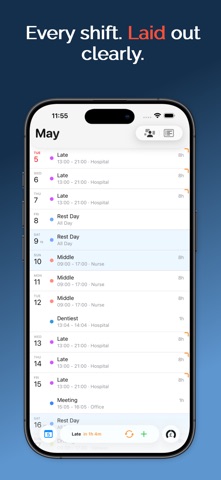
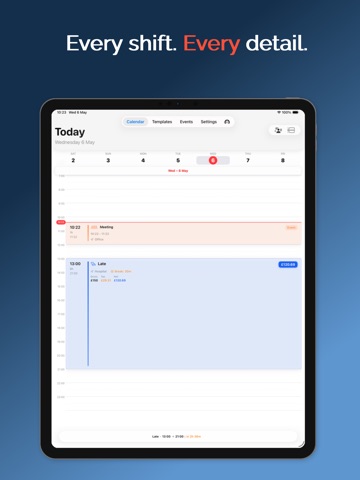
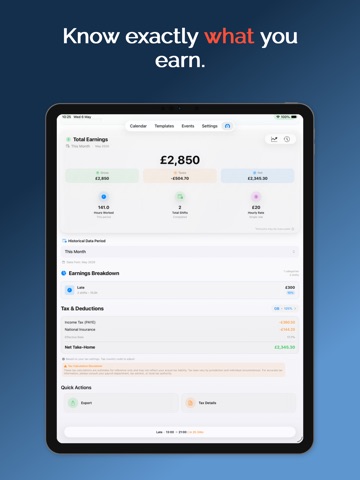
Track shifts, see real-time earnings on your Lock Screen, and know exactly what you're making after taxes — all in one beautifully designed app. Trusted by nurses, retail workers, and freelancers worldwide. Never miss a shift. Always know what you're earning. Shifts turns your iPhone into a smart shift companion that works as hard as you do. SMART TEMPLATES — ADD SHIFTS IN 3 TAPS • Create reusable shift templates with times, pay, location, and breaks • Schedule shifts in seconds using your saved templates • Set up rotation patterns (4-on-4-off, 2-2-3, DuPont, Pitman, Panama) • Custom icons, colours, and tags for each shift type • Smart Scheduling detects conflicts automatically INTELLIGENT EARNINGS & TAX TRACKING • Real-time earnings calculations update as you work • Support for hourly, per-shift, weekly, and monthly pay rates • Automatic break deduction from paid hours • Regional tax calculations for 50+ countries (IRS, NI, PAYE, IRPF, and more) • Tax breakdowns with your country's official terminology • Earnings projections based on upcoming scheduled shifts • Category-based tracking for multiple jobs BEAUTIFUL CALENDAR — 5 VIEWS • Monthly, weekly, daily, agenda, and year-at-a-glance views • Colour-coded shifts for instant recognition at a glance • Tap any date for a detailed day breakdown • Today's earnings always visible on the calendar • Import events from Apple Calendar SMART NOTIFICATIONS & ALARMS • Custom shift alarms with multiple reminder times • Break reminders during long shifts • End-of-shift notifications • Weekly earnings summary notifications HOME SCREEN & LOCK SCREEN WIDGETS • Small, Medium, and Large widget sizes • Lock Screen widgets with live shift data • Month calendar widget showing your entire schedule • Chart widgets showing earnings trends • Real-time updates throughout the day APPLE WATCH APP • View today's shifts and earnings on your wrist • 12+ Watch complications: circular, corner, rectangular, inline • Weekly earnings chart on Watch EVENTS & PERSONAL CALENDAR • Add personal events alongside work shifts • Recurring events: daily, weekly, monthly, yearly • iCal subscription support for external calendars • Colour-coded for easy differentiation • Import from Apple Calendar and Google Calendar PDF EXPORT & SHARING • Export your schedule as a professional PDF • Share your rota with colleagues or managers • Calendar sharing via link PERFECT FOR: • Nurses and healthcare workers with rotating shifts • Retail staff with changing schedules • Hospitality workers tracking tips and hours • Gig economy and freelance workers COMPREHENSIVE REGIONAL SUPPORT • 150+ currencies supported worldwide • Tax systems for 50+ countries with official terminology PRIVACY FIRST • All data stored locally on your device • No account required — no email, no passwords needed • Optional encrypted iCloud sync across devices • No tracking, no ads, no data collection • GDPR compliant BACKUP & RESTORE • Create encrypted local backups anytime • Restore from previous backups instantly • Export and share via Files app or Share Sheet • Automatic backup scheduling • iCloud Drive integration WHY SHIFTS? Unlimited shifts, templates, and calendar views — FREE. Unlike basic calendar apps or complex spreadsheets, Shifts is purpose-built for shift workers. Smart templates save you hours every week. Live Activities keep you informed without touching your phone. And automatic earnings tracking with regional tax support means you always know exactly what you're making — after taxes. REQUIREMENTS iOS 15.0 or later • Live Activities require iOS 16.1+ • Lock Screen widgets require iOS 16.0+ • Apple Watch app requires watchOS 9.0+ Download Shifts today and take control of your work schedule. Your shifts, simplified. Questions or feedback? We'd love to hear from you. contactus@shiftsapp.uk | Instagram: @ShiftsApp Terms of Use: https://shiftsapp.uk/terms Privacy Policy: https://shiftsapp.uk/privacy-policy
Latest release
What’s New
Major Changes • Jobs — manage multiple jobs, set a default that stays after iCloud sync, and see colored markers on shift cards • Profile — open Profile Details from Settings; add job title, department, phone, LinkedIn, X, and Face ID or Touch ID unlock • Templates — new Jobs segment; tap a job’s templates to edit them instantly • Siri & Shortcuts — ask about shifts, earnings, events, and reminders; premade shortcuts included • Events — Apple Reminders with smart groups, plus create an event or reminder from one screen • Live Activities — Dynamic Island and Lock Screen stay on until your shift ends • Widgets — Clear and Tinted Home Screen widgets, History charts, and Extra Large calendar cards • Apple Watch — calendar matches native layout; Watch face widgets update when you change shifts on iPhone Improvements • Calendar — add and remove shifts instantly; the shift picker stays put; Vibrant and Pastel card themes • iCloud — your calendar comes back after delete and reinstall • iPad — Settings uses a split view; tap Settings again on iPhone to jump to the top • Tab bar — scrolling ticker for today’s shift, earnings, and events • App icon — badges stay in sync with your notification setting Bug Fixes and Improvements Alarms are supported on iOS 26.2 or newer. If you have any suggestions or ideas for new features and functionalities, please contact us at contactus@shiftsapp.uk
Audience growth
Ratings growth
Baseline captured. Growth appears after the crawler observes a changed rating count.
Momentum comes from crawler snapshots for the tracked storefront. “Viral growth signal” means unusually fast recent rating gains; it is an indicator, not download data.
Price tracking
Price intelligence
First snapshot captured. The trend line starts after the next crawler price observation.
- First observed Sep 11, 2026 · 7:57 AM Free
Screenshots