About this app
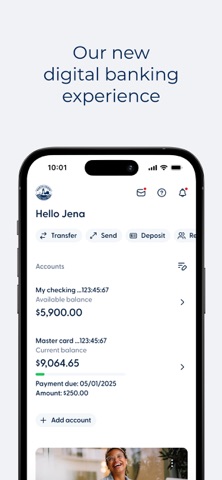
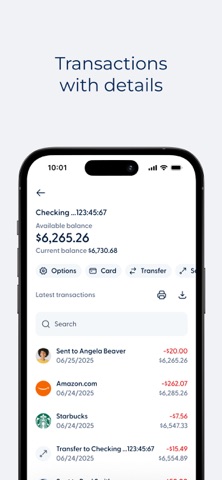
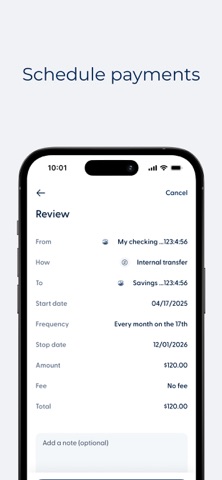
North Shore FCU is with you wherever you go! Now you can manage your finances 24/7 from the convenience of your mobile device. NSFCU Mobile Banking employs the same industry-standard security technologies as our online banking. Account Overview: The Account Overview screen allows you to see all your accounts listed along with their balances. Account Details: Select an account, such as your Checking Account, to view more detailed account information. Check Balances: Click on any of your accounts to check their current balances. Transaction History: Scroll through your history or search for specific transactions. Transfer Funds: Move money between your NSFCU accounts as needed. Send Money: Experience a seamless and secure way of sending money to your friends or businesses though member to member transfers, billpay, and wire transfers. Mobile Deposit: Deposit Checks by taking pictures of the front and back of your endorsed checks. It's really that simple and convenient! ATM/Branch Locator: Find the nearest North Shore FCU branch and ATM. Alerts: Set up alerts for your accounts. Experience the convenience of North Shore FCU Mobile Banking today. Download the app and take us with you wherever you go!
Latest release
What’s New
We are thrilled to introduce the latest updates to our app. Members can now personalize their experience with Dark Mode, providing a comfortable viewing experience, especially in low-light environments. This update also includes minor improvements and bug fixes.
Audience growth
Ratings growth
Baseline captured. Growth appears after the crawler observes a changed rating count.
Momentum comes from crawler snapshots for the tracked storefront. “Viral growth signal” means unusually fast recent rating gains; it is an indicator, not download data.
Price tracking
Price intelligence
First snapshot captured. The trend line starts after the next crawler price observation.
- First observed Aug 19, 2026 · 5:14 AM Free
Screenshots