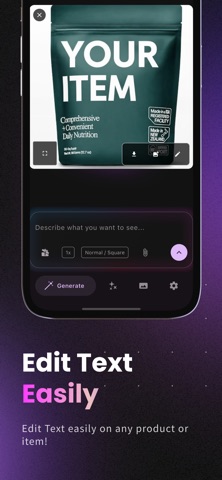
About this app
Transform your photos with natural language! Generate stunning images, edit existing photos, remove backgrounds, or create viral social media content — just describe what you want and Edit AI makes it happen instantly. Edit AI is the revolutionary photo editor powered by advanced AI that understands your words. Create professional product photos, eye-catching Instagram posts, artistic masterpieces, and marketing visuals — no design skills needed. Instantly transform photos, generate artwork from text, combine multiple images, enhance quality, and apply reference styles — all by simply typing what you want in plain text. Trusted by many creators, businesses, and photography enthusiasts. Why choose Edit AI? - Natural language editing. Just type "make the sky more dramatic" or "remove the person in the background" and watch AI work its magic. - Reference image support. Upload a reference photo to guide AI transformations — perfect for maintaining brand consistency or achieving specific styles. - Multi-image input system. Combine elements from multiple photos seamlessly with our innovative dual-image processing. - AI-powered generation. Describe your idea, and AI creates stunning images, artwork, and designs in seconds. - Smart enhancement. Upscale images to 4K, remove blur, restore old photos with one tap. - Background magic. Remove, replace, or blur backgrounds instantly for professional results. - Style transfer. Apply artistic styles from famous paintings or your own reference images. - Object removal. Erase unwanted elements with AI that intelligently fills the space. - Professional templates. Customize designer templates for social media, marketing, and events. Who is Edit AI for? - Content creators building stunning social media posts. - E-commerce sellers perfecting product photos. - Photographers enhancing their portfolio. - Social media managers creating engaging content. - Anyone who wants professional edits without complex tools. Key features - Natural language photo editing. - Reference image-guided transformations. - AI background removal & replacement. - Image up-scaling. - Multi-image combination system. - Smart object removal. - Style transfer from reference images. - Text-to-image generation. - Professional filters & effects. - Cloud gallery storage. - Social media optimization. How it works 1. Upload your photo or describe what you want to create. 2. Type your edit in natural language or upload a reference image. 3. Watch AI transform your vision into reality. Upgrade Required: Subscription plan is required to use image reference due to usage of large language model and cover compute cost. Plans are offered in weekly, monthly and yearly period. Terms: https://www.agiapplications.org/apps/edit-ai/terms Privacy: https://www.agiapplications.org/apps/edit-ai/privacy
Latest release
What’s New
Added Native tabs liquid glass design
Audience growth
Ratings growth
Baseline captured. Growth appears after the crawler observes a changed rating count.
Momentum comes from crawler snapshots for the tracked storefront. “Viral growth signal” means unusually fast recent rating gains; it is an indicator, not download data.
Price tracking
Price intelligence
First snapshot captured. The trend line starts after the next crawler price observation.
- First observed Aug 2, 2026 · 6:05 PM Free
Screenshots