About this app
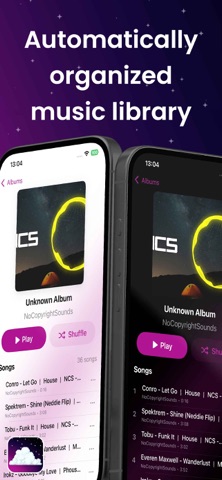
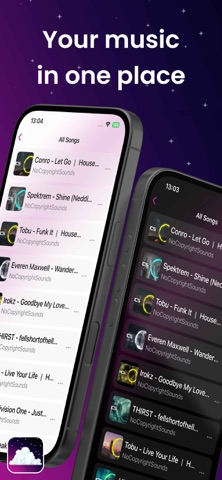
Cosmos Music Player Completely free no in‑app purchases, no ads, no tracking and totally open source. Cosmos Music Player is a high-quality music player that supports both iCloud Drive synchronization and local storage, giving users flexibility in how they manage their music. The app is built and designed for the iOS and Apple ecosystem with full CarPlay integration. A premium audiophile music player for iOS supporting FLAC, WAV, M4A, MP3, Opus, OGG, DSD, and DSF formats with advanced features including Apple CarPlay, DSD playback (DoP & PCM conversion), dual storage options (iCloud/local), playlist management, artist information integration, graphic equalizer, and multi-language support. Apple CarPlay Integration - Full CarPlay Support: Native CarPlay interface for safe in-car music control - Tab-Based Navigation: Quick access to All Songs, Favorites, Playlists, and Browse sections - Now Playing Interface: Full player controls with play/pause, skip, and seek functionality - Seamless Synchronization: Real-time playback state sync between phone and CarPlay - Multi-Language Support: CarPlay interface fully localized in English and French Audio Playback - High-Quality Lossless Support: Native support for lossless FLAC, WAV, M4A, MP3, Opus, OGG, DSD, and DSF. - Graphic & Parametric EQ: full custom parametric equalizer plus GraphicEQ text-format import. - Siri Integration: Voice control for music playback in English and French - Home screen widgets: Now Playing and quick-access playlist widgets - ReplayGain Support: Automatic volume normalization for consistent listening experience - Embedded Artwork: Displays album art from FLAC, WAV, M4A, MP3, Opus, OGG, DSD, and DSF. - Advanced Audio Engine: Built with AVFoundation for optimal audio quality Music Library Management - Dual Storage Support: Choose between iCloud Drive (syncs across devices) or local storage (device only) - iCloud Drive Integration: Automatic sync of music files across devices when using iCloud storage - Local File Support: Full support for music files stored locally in app's Documents folder - Smart Library Indexing: Automatic detection and indexing of music files from both storage locations - Metadata Extraction: Reads artist, album, title, and other metadata - Offline First: Works completely offline with local files, no internet required Artist Information - Dual API Integration: Combines Discogs and Spotify APIs for comprehensive artist data - Artist Profiles: Rich artist biographies and information - High-Quality Images: Artist photos and album artwork - Alternative Sources: "Wrong artist?" feature to switch between data sources - Smart Caching: Efficient caching system for offline access Siri & Apple Intelligence - Modern App Intents integration: play any song, album, artist, or playlist by voice — no Shortcuts setup needed - AI Mix Generation: ask Siri to "Make me a mix on Cosmos" and Apple Intelligence builds a mix from your own library, fully on-device - Voice actions: resume playback, favorite the current song, add songs to playlists - Spotlight integration: your entire library is searchable from iOS system search Supported Siri Commands - "Hey Siri, play [song/album/artist/playlist] on Cosmos" - "Hey Siri, resume playback in Cosmos" - "Hey Siri, add this song to my favorites in Cosmos" - "Hey Siri, make me a mix in Cosmos" Credits - Logo Design: Created by Zerrotic (zerrotic on Discord) - App Store Screenshots: Designed by MrVedakkaN (mrvedakkan on Discord / vimalothomas on Linkdin)
Latest release
What’s New
Fix hang issues. Various ui improvments. Various ux improvments. Filled missed translations. Slight optimization of battery usage. Added cache management. Fixed handling of audio route changes.
Audience growth
Ratings growth
Baseline captured. Growth appears after the crawler observes a changed rating count.
Momentum comes from crawler snapshots for the tracked storefront. “Viral growth signal” means unusually fast recent rating gains; it is an indicator, not download data.
Price tracking
Price intelligence
- First observed Aug 16, 2026 · 10:20 AM Free
Screenshots