About this app
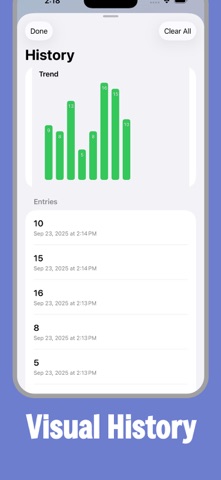
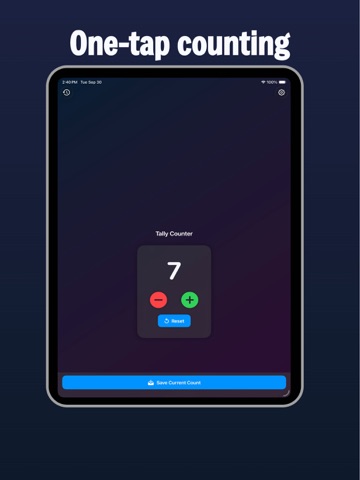
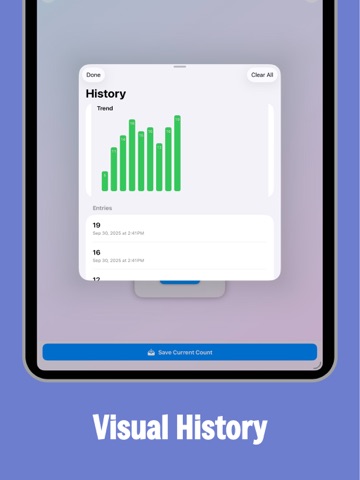
Count anything effortlessly. Clicker Counter is a clean, one-tap counter that makes it effortless to add, subtract, reset, and save counts. Turn on haptics and click sounds for satisfying feedback, allow negative numbers when you need to dip below zero, and review your progress with a simple visual history. It’s the fast, focused counter you’ll actually enjoy using. Why you’ll love it Big buttons. Clear numbers. No clutter. Whether you’re tracking reps, attendance, inventory, laps, or anything else, Clicker Counter keeps you in the flow. No fiddling, just tap. Features One-tap counting: Large plus/minus buttons for fast, accurate taps. Negative counting: Option to allow counts below zero when needed. Reset anytime: Quick reset button to start fresh. Save current count: Log important counts instantly to your history. Visual History: See a simple trend chart and a timestamped list of saved counts. Haptics & Sound: Optional feedback with subtle vibrations and click sounds. Custom Start & Step: Choose your starting number and step amount. Keep Screen Awake: Prevents auto-lock during long sessions. Dark & Light friendly: Looks great in either appearance. Clean, focused design: Built for reliability and ease of use. Perfect for: Gym reps & sets Event headcounts & attendance Inventory & stock checks Score tracking & games Habit tracking, knitting rows, laps, and more Stay focused on what you’re counting and let Clicker Counter handle the rest.
Latest release
What’s New
Minor improvements
Audience growth
Ratings growth
Baseline captured. Growth appears after the crawler observes a changed rating count.
Momentum comes from crawler snapshots for the tracked storefront. “Viral growth signal” means unusually fast recent rating gains; it is an indicator, not download data.
Price tracking
Price intelligence
First snapshot captured. The trend line starts after the next crawler price observation.
- First observed Aug 19, 2026 · 10:06 AM Free
Screenshots