About this app
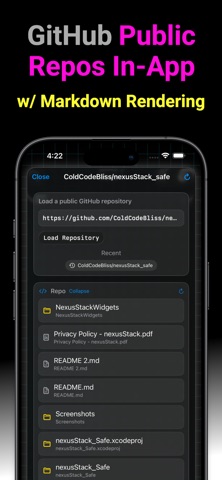
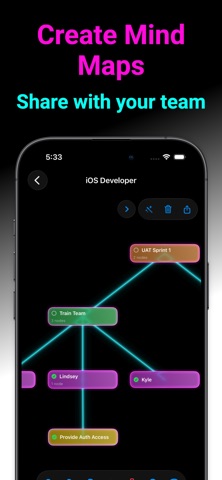
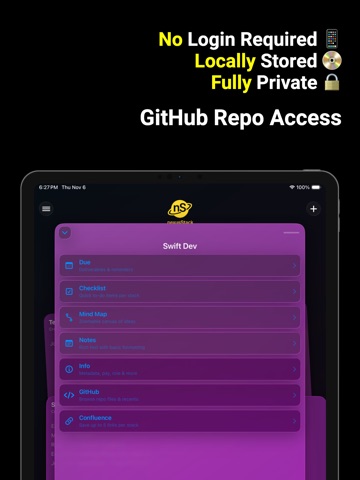
.nexusStack helps freelancers, teams, and tech pros manage jobs, deliverables, notes, and GitHub repos—fast. ---------------------- *Full description* Meet .nexusStack — a lightweight workspace for managing everything around a job, client, or engagement. Capture deliverables and due dates, track checklists, write rich notes, map ideas visually, and browse the repos and docs that matter—all in one place. With the new Midnight Neon theme, you can switch from a clean, minimal look to a glowing neon grid aesthetic with animated tube borders and a retro-inspired vibe. ---------------------- *What You Can Do* Stay on top of deliverables Add tasks with due dates, see what’s next, and keep work moving with simple, focused views. Write better notes Use rich text formatting—bold, underline, strikethrough, and bullet lists—perfect for meeting notes, decisions, and summaries. Think in maps Build quick mind maps to explore ideas visually, then export and share them as a PDF with a tap. Keep repos at hand Attach a public GitHub repository to each job, browse folders, preview code and images, and open files to share. Link your knowledge Save up to five Confluence links per job—open them in the Confluence app (when installed) or your browser. Organize by job Each job has its own stack of tasks, notes, mind maps, repos, and links so nothing gets mixed up. ---------------------- *Key Features* Job Stacks – A focused home for each client, project, or role. Deliverables & Checklists – Capture actions, due dates, and simple to-dos. Rich Notes – Formatting toolbar with bold, underline, strikethrough, and bullets (with automatic bullet continuation). Mind Map – Fast, visual brainstorming with Share as PDF. GitHub Browser – Paste a public repo URL, explore files, preview text and images, and keep recent repos per job. Confluence Links – Save up to five links per job; opens the Confluence app via Universal Links when available. Themes & Visual Styles Default nexusStack theme with clean, modern “Liquid Glass” and standard views. Optional Midnight Neon theme (in-app purchase) with neon tube borders, animated flicker, and a retro grid background applied across stacks, panels, and key views. Privacy-first – Your data is stored locally on your device. No account required. ---------------------- *Built For* Freelancers and contractors juggling multiple clients or roles Team leads and managers coordinating deliverables across projects Engineers, PMs, and tech pros who want notes, repos, and links side-by-side No sign-in. No server. Just a clear, focused workspace—with the option to light it up in Midnight Neon when you’re ready.
Latest release
What’s New
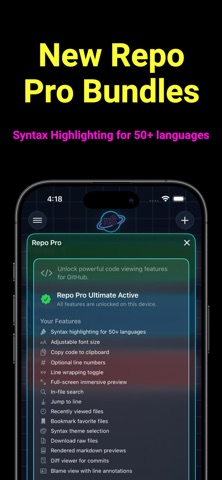
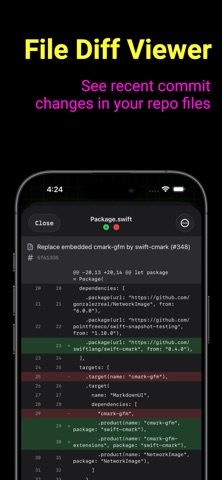
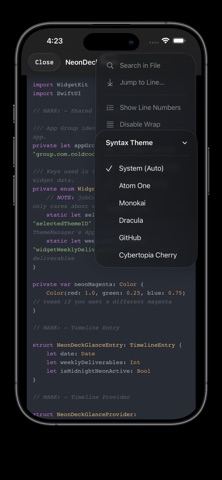
NEW: Repo Pro transforms GitHub browsing with professional code tools. From syntax highlighting to blame views—pick the tier that matches your workflow. Try it today! ------------- Repo Pro Basic: Essential code viewing for hobbyists and learners • Syntax highlighting for 50+ languages • Adjustable font size (10-24px) • Copy code to clipboard • Optional line numbers • Line wrapping toggle • Full-screen immersive preview Repo Pro Advanced: Professional navigation tools for serious developers All Basic features plus: • In-file search with live results • Jump to line navigation • Recently viewed files • Bookmark favorite files • 6 syntax themes (Atom One, GitHub, Monokai, Dracula, Cybertopia Cherry, System) • Download raw files Repo Pro Ultimate: Complete repository management for power users All Advanced features plus: • GitHub-style markdown rendering with images • Commit diff viewer with unified diffs • Blame view with per-line author annotations • Connect GitHub account for enhanced blame data [One-time purchase (no subscription)] Seamless GitHub integration Works offline with cached files Professional-grade syntax highlighting Native iOS experience optimized for mobile Perfect for code reviews on the go ------------- (Widget Improvements for Clear and Tinted Homescreen users) Stay on top of your work with two new home screen widgets: • Weekly Deliverables — Track active deliverable count at a glance • Checklist Widget — Mark off checklist items right from your home screen ------------- YOUR PRIVACY PROTECTED • All data stored locally on your device • Optional GitHub OAuth (tokens stored in Keychain) • No analytics, tracking, or data collection • No ads, ever
Audience growth
Ratings growth
Baseline captured. Growth appears after the crawler observes a changed rating count.
Momentum comes from crawler snapshots for the tracked storefront. “Viral growth signal” means unusually fast recent rating gains; it is an indicator, not download data.
Price tracking
Price intelligence
First snapshot captured. The trend line starts after the next crawler price observation.
- First observed Sep 1, 2026 · 2:27 PM Free
Screenshots