About this app
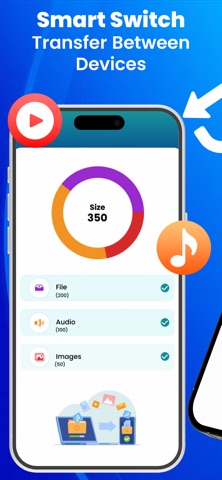
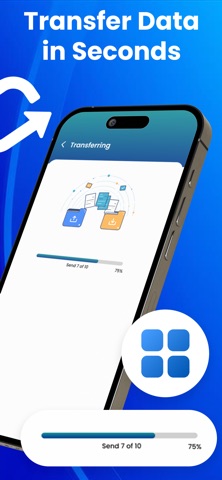
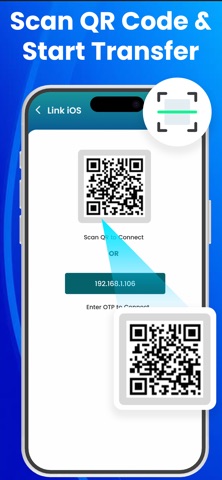
If you want to change your phone or your phone gets damaged, there’s no need to worry about losing your important information. Smart Switch: Transfer My Data is the simplest and most reliable way to move your photos, videos, audios, and files to a new phone. With a few quick taps, securely transfer everything you need with the Copy My Data app. Phone Clone App is a fast and secure solution for moving to a new device without stress. Transfer photos, videos, and audio in easy steps. Easily send data from your old phone to a new one or receive data from another device with the data transfer app. Whether you’re upgrading your phone, switching between devices, or backing up important files, the Copy My Data app ensures smooth and reliable transfers every time. Main Features of Smart Switch: Transfer My Data: High-Speed Data Sharing Clone Phone Smart Transfer Receive Files Seamless QR Code Transfer View Storage History High-Speed Data Sharing Enjoy high-speed data sharing like never before. With just some taps, transfer your photos and videos in seconds through the phone clone app. Clone Phone: Experience a smarter way to switch phones with quick and secure data transfer. Seamlessly move your photos, music, and more in just a few easy steps with Smart Switch. Smart Transfer: With Smart Switch: Transfer My Data, switching devices is no longer a worry. Effortlessly copy your files to any phone, ensuring your important data moves with you securely and instantly. Receive Files Smart Transfer makes it easy to collect photos, videos, and documents from any device in seconds. With fast speed and secure transfer, your data arrives safely every time—no cables, just seamless sharing. Seamless QR Code Transfer Quickly move your data with just a scan using the Phone Clone app. Generate a QR code on one device and scan it on another to instantly transfer photos, videos, and more. No cables needed, just fast, secure, and seamless sharing. View Storage History Get a clear view of your phone’s storage with detailed insights. See how much space is used by photos, videos, and documents, and manage your files smarter and more efficiently with the Smart Switch app. Some Benefits of Smart Switch: Transfer My Data No Cables Needed: Transfer data wirelessly. All-in-One Solution: Transfer photos, videos, audio, and documents in one go. Time Saver: Complete data transfers in just a few simple steps. Safe & Secure: Your data stays protected during data transfer. Device Upgrade Made Easy: Smart Switch to a new phone without losing your important files. Effortless Sharing: Send or receive any file instantly, anytime, anywhere. Get Smart Switch: Transfer My Data now and move everything you love to your new phone in seconds! By using our app, you accept our Privacy Policy and Terms of Use. Privacy Policy: https://sites.google.com/view/corebitsolutionsios/smart-switch/privacy-policy Terms of Use: https://sites.google.com/view/corebitsolutionsios/smart-switch/terms-of-use
Latest release
What’s New
Bug Fixes & Improvements
Audience growth
Ratings growth
Momentum comes from crawler snapshots for the tracked storefront. “Viral growth signal” means unusually fast recent rating gains; it is an indicator, not download data.
Price tracking
Price intelligence
- First observed Aug 20, 2026 · 3:36 AM Free
Screenshots