About this app
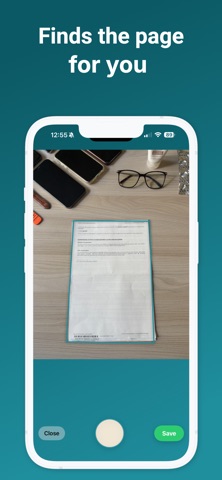
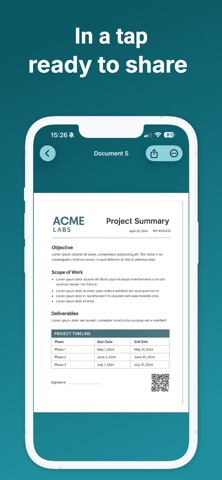
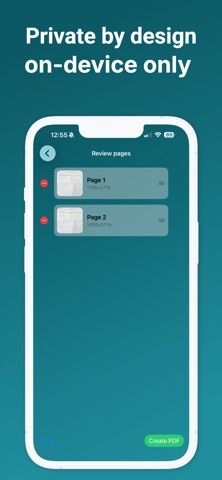
Paperize is the fast, private way to turn receipts, forms, notes, and multi-page documents into polished PDFs — all on your iPhone. Point, capture, review, and save. Everything is processed on-device and stored locally, so your documents stay yours. Why you’ll love it • Lightning-fast scanning – Capture pages with a simple shutter. • Smart cleanup – Automatic perspective correction with a live edge overlay, plus color-preserving enhancement for crisp, legible pages. • Import photos – Add up to 20 images from your library in one go. • Batch processing – See progress as your pages are enhanced. • Review & organize – Reorder or delete pages and preview full screen before saving. • Name & save – Give your PDF a clear title and store it in the app. • Manage your PDFs – Share, rename, or delete from a clean list and a convenient “Recent PDFs” grid. • Works offline – No account. No cloud. 100% on-device. Privacy by design Paperize never uploads your documents. Scans and PDFs are processed and kept locally on your device unless you choose to share them. Made for iPhone A thoughtful, modern interface with accessible labels and a smooth, distraction-free experience. Scan with confidence. Save with clarity. Keep it private — with Paperize.
Latest release
What’s New
Bugfixes
Audience growth
Ratings growth
Baseline captured. Growth appears after the crawler observes a changed rating count.
Momentum comes from crawler snapshots for the tracked storefront. “Viral growth signal” means unusually fast recent rating gains; it is an indicator, not download data.
Price tracking
Price intelligence
First snapshot captured. The trend line starts after the next crawler price observation.
- First observed Aug 17, 2026 · 2:00 PM Free
Screenshots