About this app
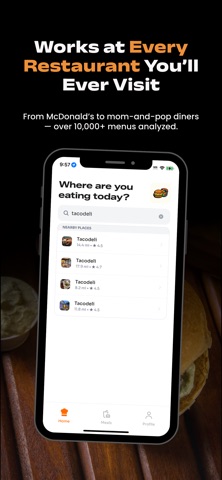
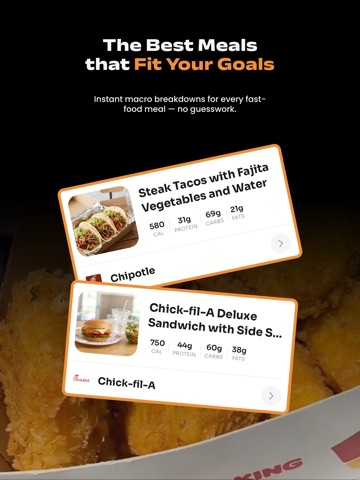
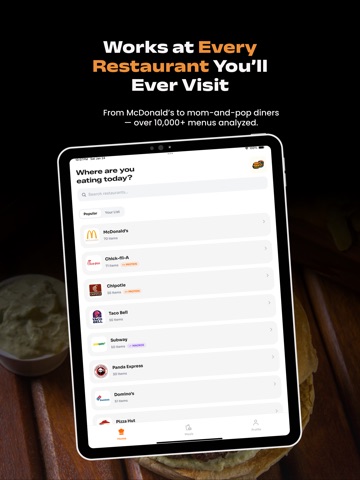
What2Eat – The Fastest Way to Eat Healthier While Eating Out Know exactly what to order at any fast-food or restaurant spot, based on your calories, macros, and goals. What2Eat is your personalized guide to eating smarter without giving up the places you love. Whether you’re cutting, bulking, maintaining, or just trying to make better decisions on the go, What2Eat shows you the healthiest, highest-protein meals at every restaurant — from McDonald’s and Chick-fil-A to local diners and everything in between. Eat the food you love — without the stress. - Discover the best meals for your goals - See the healthiest items at any restaurant instantly - Personalized suggestions for weight loss, muscle gain, or balanced eating - Get smarter fast-food picks based on your calories and macros - Find options even when restaurants don’t list nutrition info Consistent guidance that fits your lifestyle — not restrictive diets Unlock your full potential with personalized meal recommendations designed around your health and fitness goals. A subscription gives you complete access to the full experience, including all meal rankings, scanning features, and every restaurant available in the app. Before subscribing, you’ll get a preview of select meals so you can see exactly how What2Eat works. These samples help you understand how our recommendations support your journey and make eating out easier than ever. Subscribe to discover your personalized eating plan and take the guesswork out of eating on the go. PREMIUM FEATURES INCLUDE Personalized meal recommendations that match your goals High-protein and low-calorie options for every restaurant Smarter ordering with calorie, protein, carb & fat breakdowns Menu scanning: upload a menu photo to get instant rankings Discover meals from thousands of restaurants near you Switch goals (cutting, bulking, maintaining) anytime Start eating smarter today — and keep enjoying the restaurants you already love. What2Eat makes healthy eating effortless. Some features require a subscription. Terms of Use: https://www.apple.com/legal/internet-services/itunes/dev/stdeula/
Latest release
What’s New
bug fixes and updates!
Audience growth
Ratings growth
Baseline captured. Growth appears after the crawler observes a changed rating count.
Momentum comes from crawler snapshots for the tracked storefront. “Viral growth signal” means unusually fast recent rating gains; it is an indicator, not download data.
Price tracking
Price intelligence
First snapshot captured. The trend line starts after the next crawler price observation.
- First observed Sep 8, 2026 · 9:08 AM Free
Screenshots