About this app
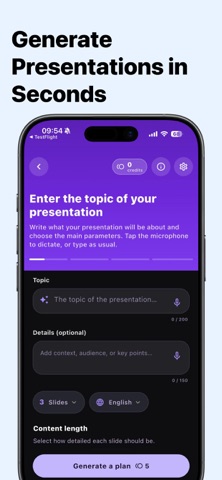
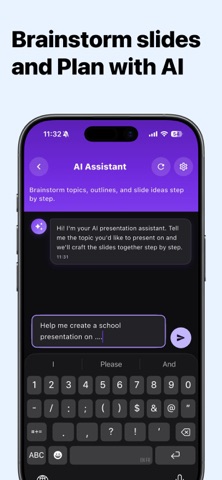
Create professional presentations in seconds with AI. Type your topic, and get a clean, structured slide deck instantly - no design skills needed. Whether you’re working on school homework, a college project, a lesson, or a work presentation, this app helps you build polished slides fast. Create Slides From a Simple Prompt Just enter a topic like: • “Solar system presentation for school” • “Marketing plan slide deck” • “Project summary for work” • “Training slides for new hires” The AI generates a complete presentation with a clear flow: • Titles and headings • Structured bullet points • Organized sections and pacing Built for Students, Teachers, and Professionals Perfect for: • Students (school, college, university) • Teachers and educators • Interns and early-career professionals • Business and training presentations Key Features • AI Presentation Maker: generate slide decks in seconds • Smart Structure: organized slides that make sense • Clean, Professional Design: presentation-ready layouts • Easy Editing: adjust content quickly • Export & Share: download and use anywhere Why You’ll Love It Stop spending hours: • starting from a blank slide • writing and organizing content • formatting and aligning everything Create high-quality slides faster, reduce stress, and present with confidence. Download now and build your next presentation instantly. Terms of Use (EULA): https://www.apple.com/legal/internet-services/itunes/dev/stdeula/
Latest release
What’s New
- Powerful new slide editing experience with improved controls. - New professionally designed slide templates and backgrounds for more polished presentations. - Customize presentations with enhanced font, color, and text styling options. - Better slide management including improved editing, duplication, and organization. - Improved PPTX sharing with cleaner file naming and export experience. - Refined interface with more consistent dialogs, notifications, and interactions. - Fixed numerous editing, layout, and usability issues for a smoother presentation creation experience.
Audience growth
Ratings growth
Baseline captured. Growth appears after the crawler observes a changed rating count.
Momentum comes from crawler snapshots for the tracked storefront. “Viral growth signal” means unusually fast recent rating gains; it is an indicator, not download data.
Price tracking
Price intelligence
First snapshot captured. The trend line starts after the next crawler price observation.
- First observed Aug 14, 2026 · 7:31 PM Free
Screenshots