About this app
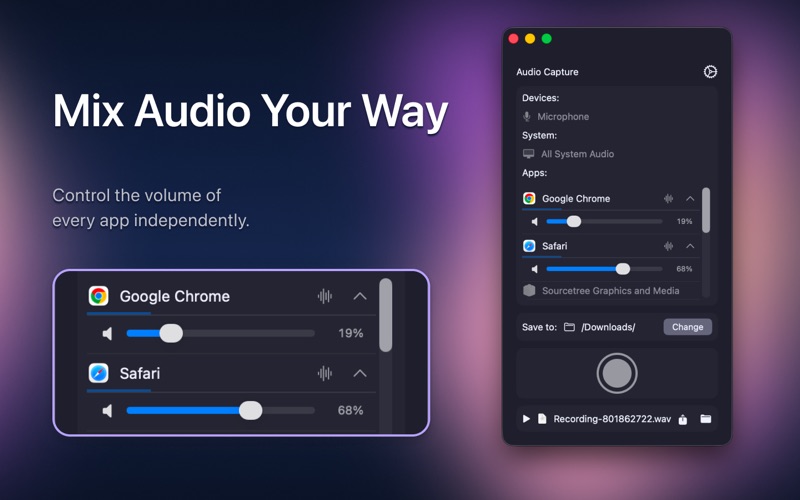
Record high-quality audio from any app or your entire system — with full control over every source. Whether you're capturing a Zoom call, a Spotify track, or a game — Audio Capture lets you record exactly what you need, at the quality you want. KEY FEATURES • Record from any app — Zoom, Spotify, Chrome, Safari and more • Capture full system audio or isolate a single application • Record from your microphone — alone or mixed with other sources • Mix multiple sources simultaneously with per-source volume control • Menu bar mode for instant access without cluttering your desktop • Choose your save folder — recordings go exactly where you want PERFECT FOR — Online calls, meetings and webinars — Music, podcasts and streaming services — Voiceovers, screen recordings and presentations — Games, tutorials and any app on your Mac Privacy Policy: privacy policy: https://sites.google.com/view/castles-trip-privacy-policy Terms of Use: https://www.apple.com/legal/internet-services/itunes/dev/stdeula/
Latest release
What’s New
- Try before you subscribe — explore all features freely until your first recording; standard plan limits apply after - Guided onboarding — three quick tips on first launch help you set up format, source, and start recording - Recording indicator — the menu bar icon now shows when a recording is active - Format hint — a note clarifies that M4A (AAC) requires a Pro subscription - Bug fix: recordings stopped by quitting the app are now tracked correctly
Audience growth
Ratings growth
Baseline captured. Growth appears after the crawler observes a changed rating count.
Momentum comes from crawler snapshots for the tracked storefront. “Viral growth signal” means unusually fast recent rating gains; it is an indicator, not download data.
Price tracking
Price intelligence
First snapshot captured. The trend line starts after the next crawler price observation.
- First observed Aug 8, 2026 · 1:19 PM Free
Screenshots