About this app
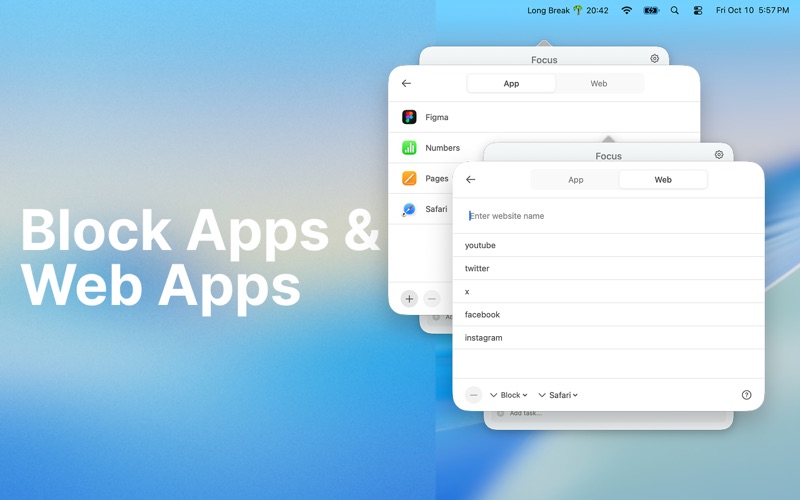
Pomodoro Focus To-Do: Stay Focused and Get Things Done Focus To-Do is a powerful Pomodoro timer and to-do list app that helps you stay focused, manage your time, and boost productivity. It combines the Pomodoro technique, task management, and distraction blocking into one simple, elegant workspace. Focus Smarter Structure your time with customizable focus cycles and breaks. Choose your own focus duration, short break, and long break — or use the default Pomodoro rhythm. Each session helps you stay productive, focused, and free from distractions. Block Distractions Keep your attention where it matters. Focus To-Do lets you block macOS apps and websites during your Pomodoro sessions. No more distractions — just deep, meaningful work. Organize Your Tasks Turn your goals into clear, actionable to-dos. Add tasks and notes for each Pomodoro session and track your progress effortlessly. Each completed task contributes to your daily productivity stats. See Your Progress Understand your habits and measure your results. View detailed Pomodoro statistics, including: Total focus time Completed tasks Productivity score Daily and weekly summaries Discover how much you’ve achieved and how consistent your focus has been. Calendar & iCloud Sync Sync your focus sessions with your calendar for a complete view of your day. Soon, Focus To-Do will also sync automatically across all your devices using iCloud, so your focus history and to-dos are always with you. Work the Way You Like Focus To-Do opens full windows during breaks to help you rest and reset your mind. Customize your sessions, track your accomplishments, and stay balanced throughout your day. Everything You Need to Stay Productive Customizable Pomodoro sessions Task and to-do management App and website blocking Focus and productivity tracking Calendar integration iCloud sync (coming soon) Privacy Policy: https://pomodoroai.s3.us-east-2.amazonaws.com/privacy.html Terms of Use: https://pomodoroai.s3.us-east-2.amazonaws.com/terms.html
Latest release
What’s New
- UI Fixes for older MacOS versions - Localizations added for multiple languages
Audience growth
Ratings growth
Baseline captured. Growth appears after the crawler observes a changed rating count.
Momentum comes from crawler snapshots for the tracked storefront. “Viral growth signal” means unusually fast recent rating gains; it is an indicator, not download data.
Price tracking
Price intelligence
First snapshot captured. The trend line starts after the next crawler price observation.
- First observed Aug 8, 2026 · 4:22 PM Free
Screenshots