About this app
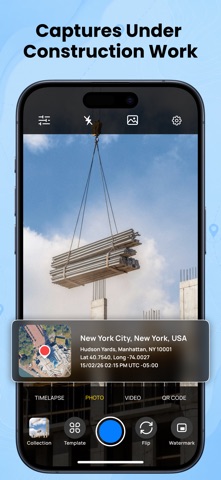
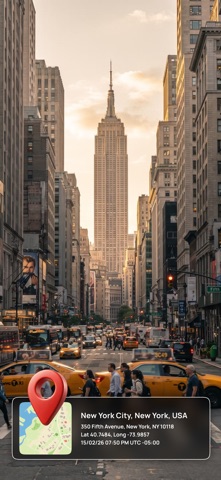
GPS Map – Camera & Timestamp is a simple camera application that allows users to capture photos and videos with optional visual information such as location, date, and time. The app is designed with clarity and transparency so users can easily understand what information appears on their images. The camera interface is clean and easy to use, with optional overlays that can be enabled or disabled based on user preference. All features function only while the app is actively in use, giving users full control over their experience. Camera & Capture Experience GPS Map – Camera & Timestamp provides a straightforward photo and video capture screen. A camera tools panel offers access to features such as grid, timer, ratio, mirror, and recording options. These tools help users frame and capture images comfortably without unnecessary complexity. Location, Date & Time Information The app allows users to add visual location information, date, and time details to photos. This information appears as an optional overlay or template and is applied only when the user chooses to enable it. Users can preview how this information looks before saving the image. Map templates display location-related information in a visual format. Templates are optional and can be selected, changed, or removed according to user preference. Templates & Preview GPS Map – Camera & Timestamp includes photo and map templates that can be applied to images. A template selection screen allows users to browse available layouts and preview them before applying. This ensures users always know how their photo will appear. Template previews do not automatically modify content and require user confirmation before being applied. Gallery & Photo Viewing Photos captured within the app can be viewed using an in-app gallery screen. This allows users to review images and see how visual information is displayed. Privacy & User Control User privacy is a priority. GPS Map – Camera & Timestamp requests access to the camera, photo library, and location only to support core app functionality. All permissions are requested clearly and are used only with user consent. The app does not use background location access. Location information is accessed only when the app is open and when the user chooses to apply it to photos. Designed for Everyday Use. GPS Map – Camera & Timestamp is suitable for capturing travel moments, personal memories, and everyday photos where visual location or time information is helpful. The app focuses on simplicity, transparency, and user control. Privacy - https://appspecials.blogspot.com/2026/01/gps-map-privacy-policy.html Term of use - https://appspecials.blogspot.com/2026/01/gps-map-terms-conditions.html
Latest release
What’s New
- Bug fixes and performance improvements - Improved stability and reliability - Minor UI enhancements for a smoother experience
Audience growth
Ratings growth
Baseline captured. Growth appears after the crawler observes a changed rating count.
Momentum comes from crawler snapshots for the tracked storefront. “Viral growth signal” means unusually fast recent rating gains; it is an indicator, not download data.
Price tracking
Price intelligence
- First observed Aug 20, 2026 · 1:40 PM Free
Screenshots