About this app
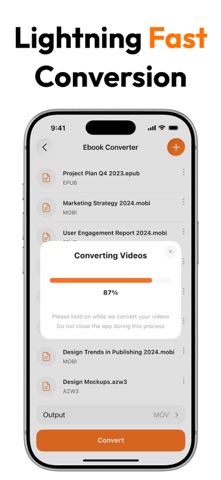
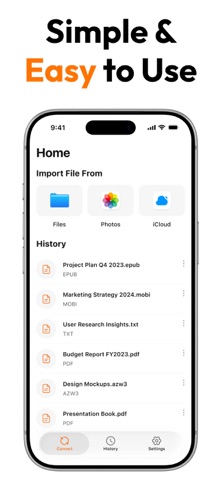
eBook Converter - The Ultimate Ebook Conversion Tool Convert your ebooks effortlessly into any format and enjoy reading on your Kindle, Kobo, Nook, or Mac. Whether you need to convert EPUB to MOBI, PDF to EPUB, or AZW3 for universal reading, eBook Converter is your go-to app for fast, reliable, and easy conversion. Why Choose eBook Converter? - All-in-One Ebook Conversion Tool: Supports a wide range of ebook formats including EPUB, MOBI, AZW3, PDF, LRF, FB2, TXT, RTF, DOCX, OEB, PDB, LIT, TCR, RB, and more. - Kindle-Ready: Instantly convert EPUB to MOBI or AZW3 for seamless Kindle reading, including Kindle devices and apps. - Universal eReader Compatibility: Easily convert files for popular eReaders like Amazon Kindle, Kobo, Nook, Apple Books, and more. - Fast & Reliable: Drag and drop your ebooks and get perfectly formatted files within seconds. - Batch Ebook Conversion: Convert multiple ebooks at once, saving time when dealing with large libraries. - Smart Output Control: Select your preferred format and output folder with one click for personalized results. Additional Features: - Simple Drag-and-Drop Interface: Easy to use for Mac users, with no complex steps. - Import Files from Finder, Photos, or iCloud: Seamlessly access and convert files from your Apple ecosystem. - File Size Support: Convert ebooks up to 100 MB in size, perfect for large files. - Clean Layout for iOS: Sleek and intuitive design, optimized for a seamless user experience on iPhone and iPad devices. Upgrade to Pro Unlock unlimited conversions, faster processing, and premium support with the Pro version. Perfect for avid readers, researchers, and anyone with a large ebook library. With eBook Converter, you don’t just convert files, you unlock the freedom to read your ebooks anytime, anywhere. Download Now & Start Converting Begin converting your ebooks in seconds with eBook Converter. Transform your reading experience today! Note: The payments for in-app purchases are directly charged from your iTunes account after the confirmation stage. The subscription to our service will be automatically renewed unless the auto-renew option is turned off 24 hours before the expiration of the current subscription period. Your iTunes account will be charged for the renewed subscription within a 24-hour time period prior to the expiration of the current subscription. The users can manage their subscriptions and turn off the auto-renewal of their purchase by going to the setting of your account on the App Store. Privacy Policy: https://sites.google.com/view/muhammadqasimwali/privacy-policy Terms and Conditions: https://sites.google.com/view/muhammadqasimwali/terms-of-use End-User License Agreement(EULA): https://sites.google.com/view/muhammadqasimwali/eula
Latest release
What’s New
- Convert eBooks More Easily
Audience growth
Ratings growth
Baseline captured. Growth appears after the crawler observes a changed rating count.
Momentum comes from crawler snapshots for the tracked storefront. “Viral growth signal” means unusually fast recent rating gains; it is an indicator, not download data.
Price tracking
Price intelligence
First snapshot captured. The trend line starts after the next crawler price observation.
- First observed Aug 11, 2026 · 12:17 AM Free
Screenshots