About this app
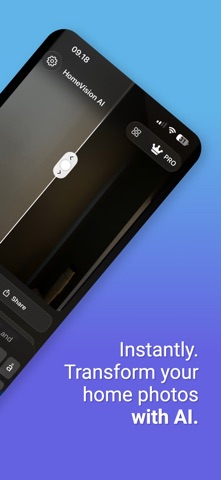
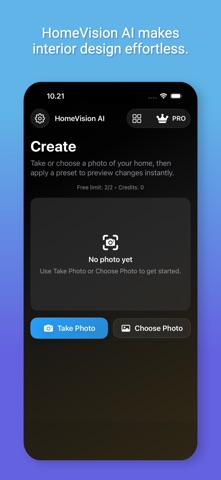
HomeVision AI helps you visualize interior transformations instantly. Simply point your camera at any room and choose a style — AI will generate realistic redesigns, layouts, and décor ideas in seconds. Key Features: • AI-powered home design visualization • Before/After camera capture • Smart style presets (Modern, Scandinavian, Minimalist, etc.) • Custom upload for your own rooms • Offline mode for private previewing • Cloud AI for high-quality full renders (Pro tier) Perfect for interior designers, real-estate agents, or anyone planning a remodel. Consumable purchase: • 4 Render token for 4 ekstra images – $2.99 (one-time purchase; each render is used when you generate a new result) Auto-renewable subscriptions: • Weekly Pro Access – $8.99 per week (auto-renewable) 30 Renders included for 30 images and no ads. • Monthly Creator Access – $24.99 per month (auto-renewable; includes ad removal, high-priority render queue, and custom AI prompt features, 75 renders each month) Subscription Details: – Payment is charged to your Apple ID account at confirmation of purchase. – Subscriptions renew automatically unless canceled at least 24 hours before the end of the current period. – Your account will be charged for renewal within 24 hours prior to the end of the current period. – You can manage or cancel your subscription in your App Store account settings after purchase. Links: • Privacy Policy: https://xbuildstudio.com/privacy • Terms of Use (EULA): https://www.apple.com/legal/internet-services/itunes/dev/stdeula/
Latest release
What’s New
Upgraded AI Engine We've upgraded to to the current best and most expensive Image model for dramatically improved results: 4K resolution output (up to 4096x4096) Smarter AI "thinking" process for better compositions More accurate color matching and detail preservation New Photo Tips Guide Get perfect photos every time with our built-in guide: Lighting tips for best results Camera angle recommendations Framing advice for full room captures Enhanced Prompt Assistant Writing prompts is now easier than ever: Room-specific suggestions (Living Room, Kitchen, Bedroom, Bathroom, Exterior, Office) Expanded template library New "Prompt Tips" guide with examples of good vs. bad prompts Bug Fixes Fixed paywall appearing incorrectly after image selection Improved rendered image display size
Audience growth
Ratings growth
Baseline captured. Growth appears after the crawler observes a changed rating count.
Momentum comes from crawler snapshots for the tracked storefront. “Viral growth signal” means unusually fast recent rating gains; it is an indicator, not download data.
Price tracking
Price intelligence
First snapshot captured. The trend line starts after the next crawler price observation.
- First observed Aug 15, 2026 · 1:10 PM Free
Screenshots