About this app
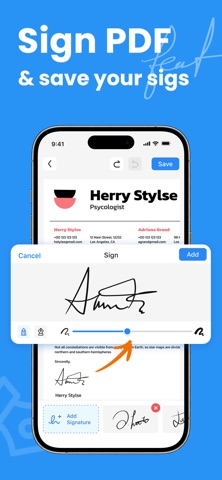
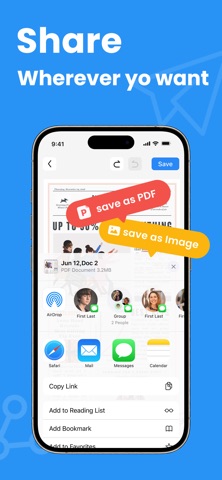
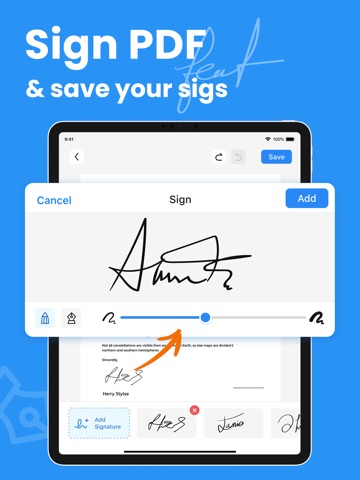
Scanner App – Fast PDF Scanner & PDF Converter Scanner App turns your iPhone into a powerful mobile PDF document scanner for scanning documents anytime, anywhere. Instantly scan receipts, invoices, bills, IDs, business documents, agreements, letters, order sheets, and contracts and convert them into clear, high-quality PDF files. Simple, fast, and designed for everyday scanning. From students to office workers, from IDs to notes, anyone can quickly scan documents, perform a quick scan to pdf, and organize digital files with ease. Use your camera to scan documents and convert images into professional PDFs in seconds. With a built-in img to pdf converter, powerful editing tools, and easy pdf sign, this all-in-one pdf converter app helps you scan, convert, edit, and sign documents wherever you are. Advanced scanner features: – Easy PDF Sign – Sign Documents Sign contracts and forms directly on your phone. Add your signature in just a few taps without printing or rescanning. – PDF Document Scanner & Camera Scanner Use your camera to scan documents instantly. Capture receipts, invoices, IDs, notes, and contracts and convert them into high-quality PDF or JPEG files. – Img to PDF Converter Convert photos, screenshots, and gallery images with the built-in img to pdf tool to create professional PDF documents. – PDF Annotation & Highlight Tools Annotate PDFs by highlighting text, adding notes, and marking key points to organize documents more efficiently. – Multi-Page Paper Scanner Scan multiple pages and combine them into a single organized PDF document. – High-Quality Color Scanner Save scans in black and white, grayscale, or color depending on your document needs. – Fast & Lightweight PDF Scanner A fast pdf scanner designed for smooth performance and minimal storage use. Use Scanner App to digitize: – Receipts, invoices, and bills – IDs, contracts, and agreements – Business documents and order sheets – Letters and official paperwork – Notes, book pages, and articles – Study notes, assignments, and worksheets Share your scanned documents easily: – Export and send files as PDF – Share via email or messaging apps – Save scans directly to your device Scanner App combines a fast pdf scanner, img to pdf converter, pdf document scanner, and easy pdf sign tool into one simple pdf converter app. Scan documents, convert images, and manage your files anytime with this fast and easy mobile scanner. We’d love to hear your feedback: contact@pdfscanner.unitemantechhk.com Privacy Policy: https://d337szikad0oct.cloudfront.net/privacy-policy Terms of Use: https://www.apple.com/legal/internet-services/itunes/dev/stdeula/
Latest release
What’s New
• Bug fixes • PDF Performance improvements We’re continuously improving the app to make scanning, converting, and signing documents even smoother. Enjoying Scanner App? We'd love to hear your feedback. Contact us at: contact@pdfscanner.unitemantechhk.com
Audience growth
Ratings growth
Momentum comes from crawler snapshots for the tracked storefront. “Viral growth signal” means unusually fast recent rating gains; it is an indicator, not download data.
Price tracking
Price intelligence
- First observed Aug 14, 2026 · 12:42 AM Free
Screenshots