About this app
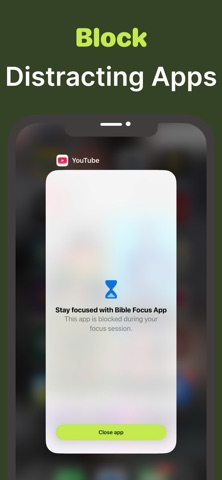
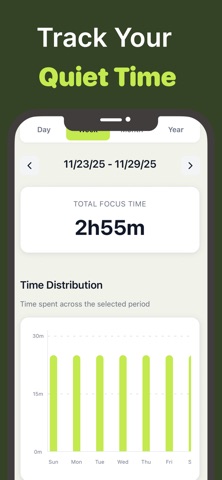
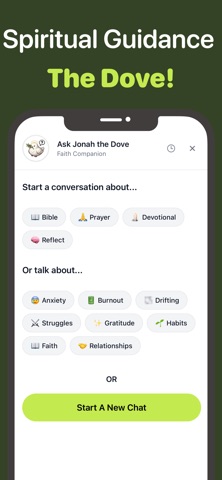
It’s easy to get distracted in today’s world — even during quiet time. Bible Focus helps you stay consistent in prayer, Bible reading, and general focus — while slowly constructing a beautiful spiritual sanctuary as a visual symbol of your journey. How it works 1. Set your focus time — choose how long you want to spend in prayer, Scripture reading, or meditation. 2. Stay on track — the timer keeps you accountable, helping you to minimize distractions. 3. See your sanctuary grow — with each completed session, your garden grows and your chosen church takes shape. Why Bible Focus - Devotional Timer? Bible Focus was created to help you connect discipline with devotion, turning your spiritual practice into something you can see grow over time. Visual Motivation → watch your sanctuary rise as a symbol of your dedication. Meaningful Habit Building → create consistency in your spiritual life with a gentle, rewarding system. Spiritual Journal → link prayers and reflections to each part of your church and garden for lasting significance. Features 1. Start a Focus Session – Set a timer for Bible reading, prayer, or meditation. Stay focused without distractions. 2. Earn Rewards for Focus – Complete sessions to earn currency and unlock new items for your church and garden. 3. Make It Meaningful – Attach devotionals or verses to your items, journal your thoughts, and see your spiritual growth over time. 4. Track Your Progress – Stats and tags show how you spend your time: Bible reading, prayer, meditation, or other devotions. 5. Daily Inspiration – Receive a Bible verse at the time you choose to inspire reflection and guide your day. 6. Journaling & Notes: Add notes to each session and revisit them anytime — your personal prayer journal in one app. 7. Accountability Fun: Cut a session short, and a snake enters your garden — a gentle nudge to stay focused. 8. Full Bible Access: Read the Bible directly in-app with KJV and WEB translations. Term of use: https://www.apple.com/legal/internet-services/itunes/dev/stdeula/
Latest release
What’s New
- Improve performance
Audience growth
Ratings growth
Baseline captured. Growth appears after the crawler observes a changed rating count.
Momentum comes from crawler snapshots for the tracked storefront. “Viral growth signal” means unusually fast recent rating gains; it is an indicator, not download data.
Price tracking
Price intelligence
First snapshot captured. The trend line starts after the next crawler price observation.
- First observed Sep 4, 2026 · 7:44 AM Free
Screenshots