About this app
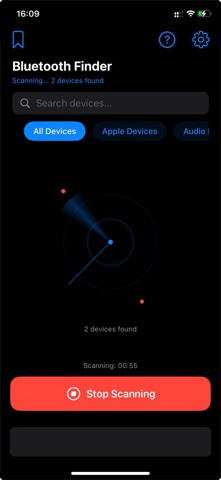
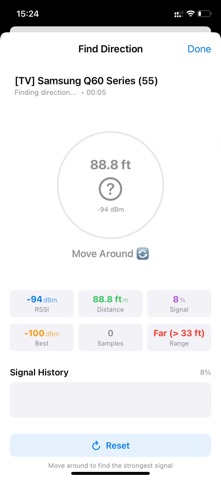
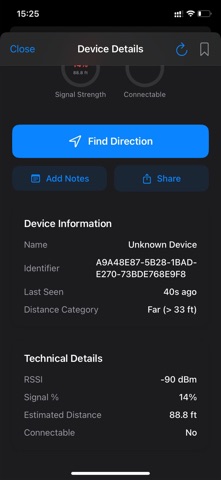
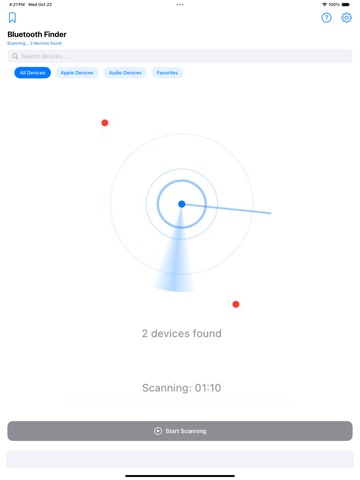
Find your missing Bluetooth devices in seconds. Bluetooth Device Finder scans nearby devices and shows live distance and signal strength to guide you right to them. Whether it’s headphones, speakers, trackers, or any BLE device, follow the signal, see how far it is, and get there faster. Real-time Bluetooth scanning Live distance display (meters or feet) Signal strength meter and radar view Direction finder guidance Device detail with last seen and vendor info Favorites for quick access Smart filters (Apple, All devices, etc.) Clean, privacy-first design. No account needed. How it works 1) Open the app and start scanning. 2) Select your device from the list. 3) Use signal strength, distance, and guidance to walk toward it. 4) Mark favorites for easy tracking later. Why you’ll love it Accurate signal and distance hints to reduce search time Flexible units: show distance in meters or feet across the app Helpful tips for finding Apple devices when needed Works offline. No sign-in, no personal data collection Lightweight, fast, and easy to use Key Features * Live Scanner: Discover nearby Bluetooth Low Energy devices quickly * Distance Indicators: See how far you are (m/ft), with dynamic categories like Very Close, Near, Medium, Far * Direction Finder: Walk-around guidance using signal trends * Signal Strength Views: Circular meter, list strength, and radar-style visualization * Device Details: Name, identifier, vendor, last seen time, RSSI, and distance * Favorites: Pin frequent devices to the top * Share: Send device info to others when needed * Settings: Toggle “Show Distance in Feet,” customize preferences
Latest release
What’s New
Fixed crash bugs
Audience growth
Ratings growth
Baseline captured. Growth appears after the crawler observes a changed rating count.
Momentum comes from crawler snapshots for the tracked storefront. “Viral growth signal” means unusually fast recent rating gains; it is an indicator, not download data.
Price tracking
Price intelligence
First snapshot captured. The trend line starts after the next crawler price observation.
- First observed Aug 31, 2026 · 9:39 PM Free
Screenshots