About this app
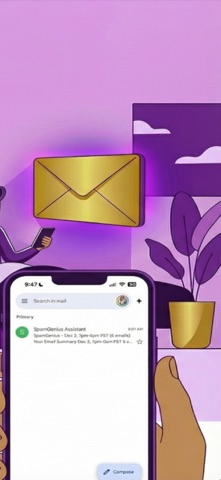
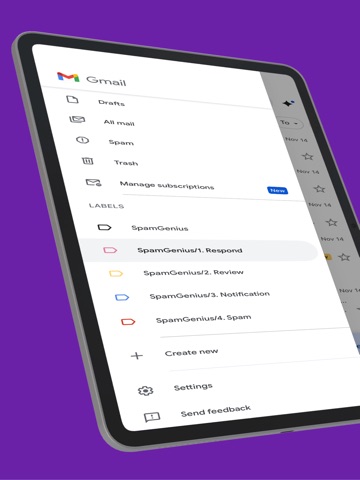
SpamGenius keeps Gmail clean without forcing labels onto everything. By default, SpamGenius focuses on spam-only cleanup. Junk and obvious spam are filtered automatically, while normal email stays untouched. If you want more structure, you can optionally turn on Smart Labels to sort mail into three buckets: Respond, Review, and Notification. Why choose SpamGenius? - Spam-only by default: cleans junk without relabeling the rest of your inbox. - Optional Smart Labels: enable Respond, Review, and Notification when you want triage automation. - AI summaries: quickly understand newsletters and longer emails. - Background cleanup: runs automatically every 10 minutes. - Clean Now: trigger cleanup immediately from the dashboard. - Privacy-first: Google CASA Tier 2 Verified, OAuth 2.0, and no email content is stored at rest. How it works: 1. Connect Gmail securely with Google OAuth. 2. Choose spam-only cleanup or enable Smart Labels. 3. Let SpamGenius keep your inbox cleaner in the background. SpamGenius is built for Gmail users who want less junk, less manual sorting, and more control over how automated email cleanup works. Terms of Service: https://www.spamgeni.us/terms Privacy Policy: https://www.spamgeni.us/privacy Questions? support@ltgai.com
Latest release
What’s New
Pro features and prompt editor improvements. • Advanced Rules / prompt editor is now positioned as a Pro feature • Improved prompt validation for custom cleanup rules • Fixed cleanup behavior for unsupported delete-style instructions • Performance and stability improvements
Audience growth
Ratings growth
Baseline captured. Growth appears after the crawler observes a changed rating count.
Momentum comes from crawler snapshots for the tracked storefront. “Viral growth signal” means unusually fast recent rating gains; it is an indicator, not download data.
Price tracking
Price intelligence
First snapshot captured. The trend line starts after the next crawler price observation.
- First observed Aug 19, 2026 · 9:03 AM Free
Screenshots