About this app
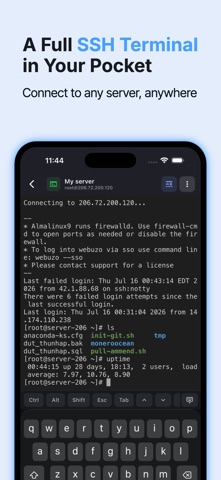
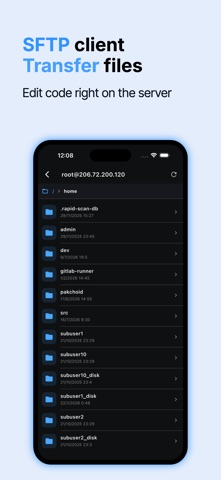
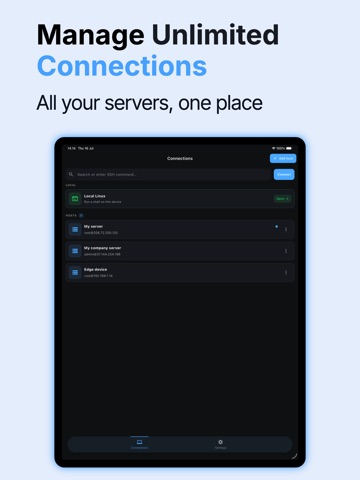
SSH is a powerful and intuitive SSH client designed for developers, system administrators, and DevOps engineers who need to manage multiple servers on the go. Connect securely, execute commands, and edit code directly from your iPhone or iPad — all in one streamlined interface. Key features: - Secure SSH Connections: Quickly connect to remote servers with password or key-based authentication. - Command Suggestions: Get intelligent command suggestions and history to boost your productivity. - Built-in Code Editor: Edit configuration files or code with syntax highlighting. - Manage Multiple Connections: Organize, save, and switch between multiple SSH sessions easily. SSH is built for speed, security, and reliability — whether you’re managing cloud servers, editing remote files, or maintaining systems remotely. Stay connected. Stay productive. Privacy Policy : https://termux-studio.org/privacy-policy?name=Terminal+%26+SSH Terms of Use : https://termux-studio.org/terms-of-use?name=Terminal+%26+SSH
Latest release
What’s New
- Docker manager — Manage Docker right from a connected server. Browse containers, images, volumes and networks; start, stop, restart or remove containers; and view live logs — all without typing a command. - Snippets — Save the commands you use most and insert them into any terminal with a single tap. Comes with a set of handy built-in snippets to get you started. - Quick actions bar — Snippets, Files, Server status, Docker and AI are now one tap away, right above the keyboard. - Various fixes and performance improvements.
Audience growth
Ratings growth
Baseline captured. Growth appears after the crawler observes a changed rating count.
Momentum comes from crawler snapshots for the tracked storefront. “Viral growth signal” means unusually fast recent rating gains; it is an indicator, not download data.
Price tracking
Price intelligence
First snapshot captured. The trend line starts after the next crawler price observation.
- First observed Aug 18, 2026 · 4:40 AM Free
Screenshots