About this app
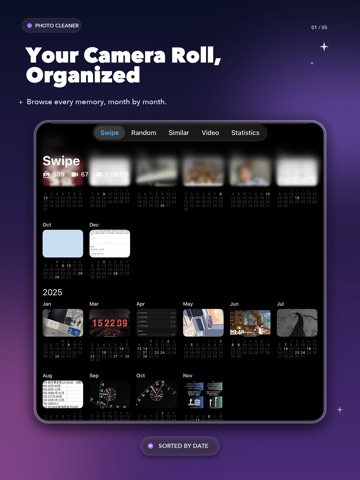
Too many photos in your library? Photo Cleaner helps you review your camera roll quickly — swipe left to delete, right to keep. SWIPE TO CLEAN — FAST & FUN Photo Cleaner turns the boring task of cleaning photos into a quick swipe game. Review your entire photo library month by month and decide in a second: keep or delete. No more scrolling through endless albums. ● Swipe left to delete, right to keep ● Browse photos organized by month and year ● Undo any accidental deletion instantly ● Review your progress as you organize photos and videos ● Works with photos, Live Photos, and videos POWERFUL VIDEO MANAGER Photo Cleaner gives you a dedicated video manager to review large videos first. ● Sort videos by size, date, or duration ● See file size, resolution, and length at a glance ● Detect slow-motion and time-lapse videos ● Batch select and delete multiple videos at once ● Review and remove large video files more efficiently SMART OCR — EXTRACT TEXT FROM IMAGES Need to grab text from a screenshot, receipt, or document? The built-in OCR scanner recognizes text in images instantly — supporting English and Chinese. ● Extract text from any photo or screenshot ● Copy recognized text to clipboard with one tap ● Crop and adjust the scan area for accuracy ● Perfect for receipts, notes, business cards, and documents WHY CHOOSE PHOTO CLEANER - Intuitive swipe UI — no learning curve - Month-by-month photo review keeps you organized - Dedicated video manager helps review large videos quickly - Built-in OCR saves time copying text from images - Lightweight app — no bloat, no ads in free tier - Privacy-first — your photos never leave your device CLEAN YOUR PHONE IN 3 EASY STEPS 1. Open the app and pick a month to review 2. Swipe left on photos you don't need, right to keep 3. Confirm deletions and keep your library organized Photo Cleaner helps you keep your photo library organized. Start swiping today. Privacy Policy: https://github.com/tonys1987/Privacy-Policy/blob/main/privacy.md Terms of Use: https://github.com/tonys1987/Privacy-Policy/blob/main/EULA.md Terms of Use (EULA): https://www.apple.com/legal/internet-services/itunes/dev/stdeula/ Email: conciseclockapp@gmail.com
Latest release
What’s New
1. Meet XiaoCe, your new photo-organizing companion for Swipe Cleanup, Random Cleanup, and cleanup results. 2. The Pro purchase screen now presents benefits such as Random Photos, Similar Photos, and XiaoCe more clearly. 3. We simplified first-time setup and polished the launch screen and interface details.
Audience growth
Ratings growth
Baseline captured. Growth appears after the crawler observes a changed rating count.
Momentum comes from crawler snapshots for the tracked storefront. “Viral growth signal” means unusually fast recent rating gains; it is an indicator, not download data.
Price tracking
Price intelligence
First snapshot captured. The trend line starts after the next crawler price observation.
- First observed Aug 14, 2026 · 11:14 AM Free
Screenshots