About this app
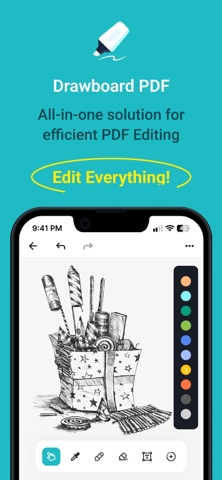
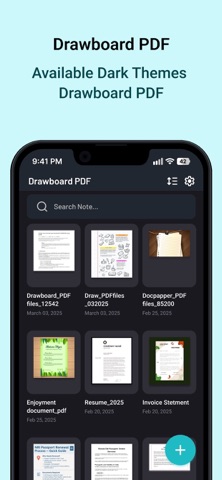
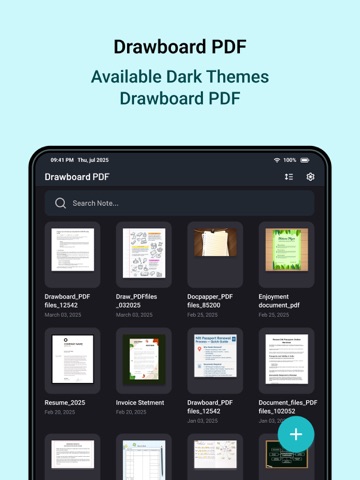
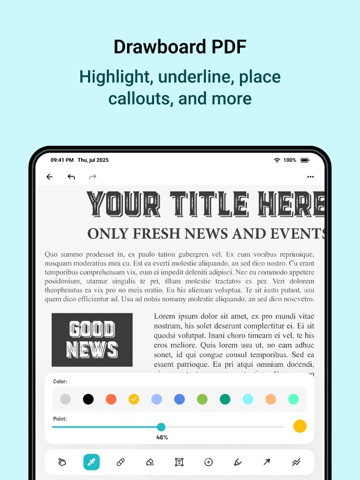
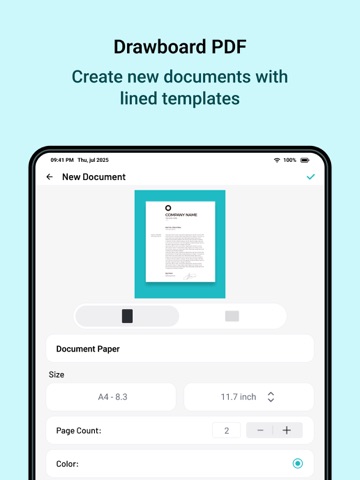
Create, draw, and annotate your PDFs effortlessly. Draword brings you a clean and powerful workspace to write, highlight, and design directly on PDF pages — perfect for studying, sketching, or working on the go. App Features: Create & Manage Documents: * Start a new document in seconds or open folders to access saved PDFs. * Choose from blank pages or import images to start your work. * Set page size (A4, Letter, custom), page count, and background color exactly how you want it. Draw, Highlight & Annotate: * Use intuitive tools like Pen, Highlighter, Eraser, and Laser Pointer. * Control color, thickness, and opacity for precise edits. * Ideal for note-taking, sketching diagrams, or marking up documents. Add Shapes & Review Tools: * Create lines, arrows, rectangles, ellipses, polygons, and more. * Mark your notes with underline, strikethrough, squiggle, or text clear for quick reviews. * Combine freeform drawing and shapes for a professional look. Add & Edit Text: * Insert text boxes anywhere on your document. * Easily move text. * Customize font color and alignment to match your document style. Customize Your Tools: * Choose from multiple color palettes and brush sizes. * Effortlessly switch tools with the modern floating toolbar. * Undo or redo actions instantly — creativity without limits. Manage Your PDFs: * Organize and preview all your PDFs with thumbnails and creation dates. * Reopen recent projects quickly for continuous editing. * Designed with simplicity and performance in mind. Subscription Details: - Payment will be charged to iTunes Account at confirmation of purchase - Subscription automatically renews unless auto-renew is turned off 24 hours before the end of the current period - Account will be charged for renewal within 24 hours prior to the end of the current period - No cancellation of the current subscription is allowed during the active subscription period - Any unused portion of a free trial, if offered, will be forfeited upon purchase Privacy Policy = https://www.privacypolicycenter.com/view_custom.php?v=QkxzOGNxR0V4RTNlS25MK09pZXdaQT09&n=Privacy-Policy Terms Of Use = https://www.privacypolicycenter.com/view_custom.php?v=Z3ZYS1dzNmtwY2owUFQzeWt3d1Azdz09&n=Terms-Of-Use EULA: https://www.privacypolicycenter.com/view_custom.php?v=cXZFRlZ1dkpueTMxZ3c2YmQxNzF5QT09&n=End-User-License-Agreement-(EULA)-of-Draw-on-PDF---Pen,-shapes,-text
Latest release
What’s New
- Bug fixes. - Performance improvements.
Audience growth
Ratings growth
Baseline captured. Growth appears after the crawler observes a changed rating count.
Momentum comes from crawler snapshots for the tracked storefront. “Viral growth signal” means unusually fast recent rating gains; it is an indicator, not download data.
Price tracking
Price intelligence
First snapshot captured. The trend line starts after the next crawler price observation.
- First observed Sep 15, 2026 · 1:27 AM Free
Screenshots