About this app
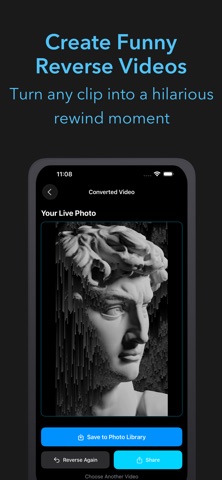
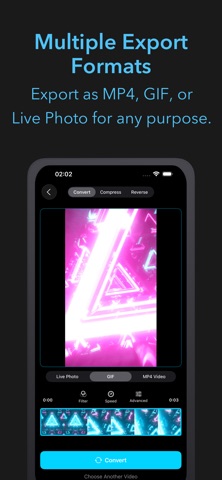
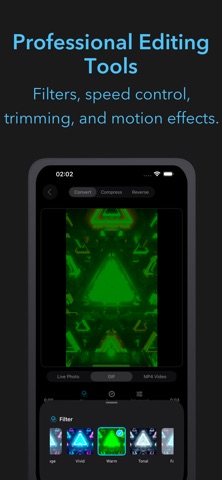
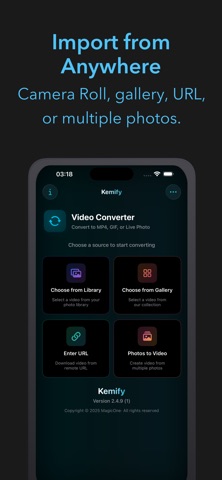
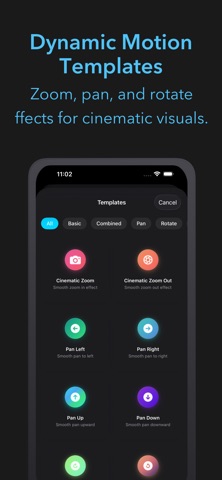
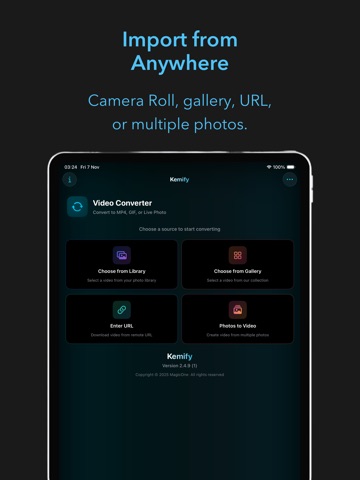
Transform your videos into any format with Kemify Pro — the ultimate video converter and editor for iPhone and iPad. Convert videos to MP4, GIF, or Live Photo with pro-grade tools and smart customization. Multiple Export Formats • MP4: Export high-quality videos for sharing or editing. Adjust playback speed from 0.1x–10x for dramatic effects. • GIF: Create animated GIFs for social media or websites. Fine-tune speed from 0.1x–10x for slow or fast motion. • Live Photo: Turn videos into Live Photos for animated wallpapers and memories. Professional Editing Tools • Filters: Enhance videos with Sepia, B&W, Vintage, Vivid, Warm, and more. • Speed Control: Create slow-motion or time-lapse videos (0.1x–10x). • Loop Modes: Choose Loop, Bounce, or Play Once. • Motion Templates: Add zoom, pan, and rotation for cinematic looks. • Trim & Duration: Select any segment (1–10s for Live Photos, or full video for MP4/GIF). • Key Frame: Pick the perfect Live Photo thumbnail. Advanced Video Processing • Compression: Shrink file size while maintaining quality (10–100%). Instantly preview size, resolution, duration, and bitrate changes. • Reverse Video: Play videos backward for creative effects. • Full Processing: Export entire clips or select specific parts. Smart Tools • Real-Time Preview: View edits instantly before saving. • Multiple Imports: Load videos from Photo Library, gallery, or URL. • Photo to Video: Create slideshows from photos with transitions. • Batch Conversion: Process multiple videos simultaneously. • Fast Conversion: Optimized performance with stable processing. Easy and Intuitive • Clean UI: Minimal design with Light/Dark Mode. • Progress Tracking: See detailed conversion status. • One-Tap Export: Save to Photos or share directly. • Format Support: Works with MP4, MOV, HEVC, and more. • Before/After View: Compare compression results by size and quality. Perfect For • Creators: Edit and convert videos for all platforms. • Social Media Users: Make GIFs and loops with custom speed. • iPhone Users: Personalize with Live Photos and wallpapers. • Editors & Professionals: Compress, reverse, and enhance videos easily. • Anyone: Looking for a fast, powerful, all-in-one video converter. Key Features • Convert to MP4, GIF, or Live Photo. • Compress with adjustable quality and live estimation. • Reverse video playback. • Apply filters, motion effects, and loops. • Control speed (0.1x–10x). • Trim, set duration, and select key frames. • Import from library, gallery, or URL. • Preview edits instantly. • Batch processing support. • Save or share with one tap. • Compare compression before and after. Download Kemify Pro today and enjoy professional video conversion and editing made simple.
Latest release
What’s New
- Improved compression to keep aspect ratio and resolution - Improved reverse processing for large video files - Enhanced UI/UX
Audience growth
Ratings growth
Baseline captured. Growth appears after the crawler observes a changed rating count.
Momentum comes from crawler snapshots for the tracked storefront. “Viral growth signal” means unusually fast recent rating gains; it is an indicator, not download data.
Price tracking
Price intelligence
First snapshot captured. The trend line starts after the next crawler price observation.
- First observed Aug 4, 2026 · 7:40 PM $2.99
Screenshots