About this app
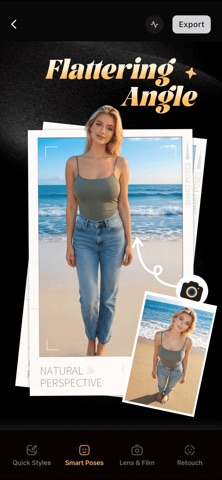
FOVA: AI Image Editing App FEATURES QUICK STYLES • Give your photo a different look in one tap • Switch between moods, tones, and finishes • Explore multiple looks from the same image SMART POSES • Generate good-looking pose ideas for people who don’t know how to pose • Simple, actionable pose suggestions you can follow • Help you look more natural and camera-ready IMAGE TO LIVE • Live Photos can be hard to edit—so edit the image first • Then turn the edited image into a Live-style result • Keep the “Live” feel without losing your edits LENS & FILM • Simulate the feel of different lenses and films • Create a more cinematic, analog-inspired finish COPY STYLE • Copy the look of a reference image onto your photo • Match tone, mood, and overall aesthetic RETOUCH • Move your “retouched face” onto the original, unretouched version • Keep your preferred face edits while preserving the rest of the shot REMOVE • Remove unwanted people, objects, and distractions • Clean up backgrounds for a more focused image EXTEND • Extend your image beyond the original frame • Reframe for different aspect ratios without starting over UPSCALE • Increase resolution and clarity • Sharpen details for a cleaner, higher-quality look MADE FOR • Social content (Stories / Reels / Shorts / covers) • Travel & daily life • Portraits & outfits • Product & brand visuals • Anyone who wants fast edits without a learning curve One app, from “almost” to “post it.” Terms of Use (EULA):https://fova.app/terms-and-conditions Privacy Policy: https://fova.app/privacy
Latest release
What’s New
bugfix.
Audience growth
Ratings growth
Baseline captured. Growth appears after the crawler observes a changed rating count.
Momentum comes from crawler snapshots for the tracked storefront. “Viral growth signal” means unusually fast recent rating gains; it is an indicator, not download data.
Price tracking
Price intelligence
First snapshot captured. The trend line starts after the next crawler price observation.
- First observed Aug 20, 2026 · 1:29 AM Free
Screenshots