About this app
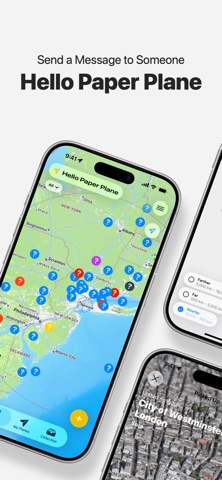
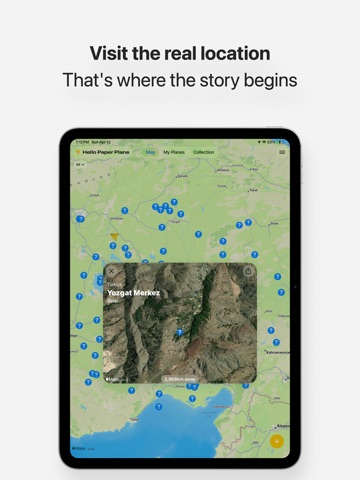
Fold a handwritten message into a paper plane and send it somewhere in the world. Set a direction and distance, and your plane travels across a real map. When it lands, someone nearby can discover it. The moment your words and drawings reach a stranger, something unexpected begins. ◆ Messages Made by Hand Only handwritten and hand-drawn messages can be folded into a plane. That's what makes each one special. Write, draw, and add photos — all on a single canvas. - Writing and drawing on one canvas - Pen and colour tools to express freely - Photos for a personal touch ◆ Launch and Watch It Fly Choose a direction with the compass, drag to set the distance, and let go. Your plane travels across the map in real time. - Set direction with a compass - Set distance with a drag - Watch the flight with animation ◆ Discover and Catch Open the map to find paper planes in flight from around the world. Head to a landing spot to pick one up, or catch a plane mid-flight when it comes close enough. - Pick up planes within a 20km radius - Catch planes in real-time flight - Every opened message is a surprise ◆ Reply and Track Picked up a plane? Fold your reply into a new one — one reply per plane. Track where your planes have landed and get notified when someone finds them. - One reply per picked-up plane - View sent planes and their journeys by country - Discovery notifications ◆ A Safe Space Report or block inappropriate content at any time. All content is reviewed to keep the experience safe and welcoming for everyone. - Report and block - Content moderation ◆ Hello Paper Plane Premium Unlock a wider, faster experience with an in-app purchase. - Fly up to 18,000km further - Expand pickup radius to 100km - Distant pickup up to 300km once a day - Flight speed up to 300km/h - Customise your plane with different colours Send a yellow paper plane, right now. Someone out there is waiting for your message. Terms of Use: https://www.apple.com/legal/internet-services/itunes/dev/stdeula/
Latest release
What’s New
- Improved stability and usability
Audience growth
Ratings growth
Baseline captured. Growth appears after the crawler observes a changed rating count.
Momentum comes from crawler snapshots for the tracked storefront. “Viral growth signal” means unusually fast recent rating gains; it is an indicator, not download data.
Price tracking
Price intelligence
First snapshot captured. The trend line starts after the next crawler price observation.
- First observed Aug 17, 2026 · 8:35 PM Free
Screenshots