About this app
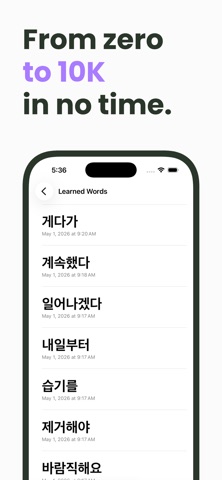
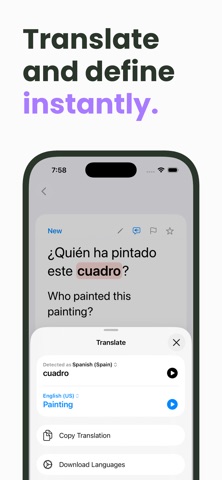
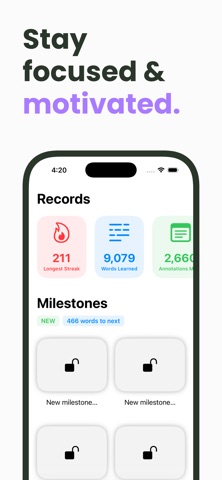
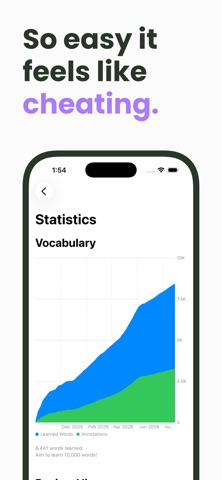
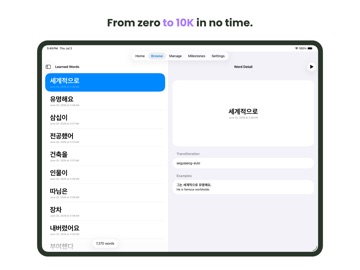
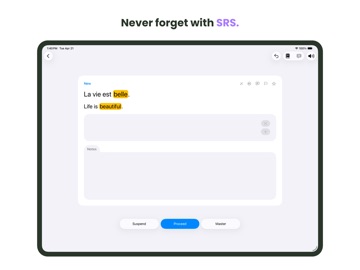
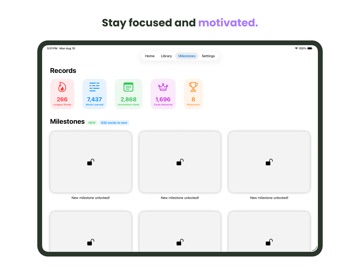
FocusWord shows you one sentence at a time, and you annotate any words you don’t know. Then later, you’re asked to recall just one of those words—the focus word. By focusing on one word in a sentence, you learn vocabulary in context, rather than relying on rote memorization. At the same time, your brain makes important links between words that are often used together. As you study, FocusWord keeps track of every single word you learn, and you’ll unlock milestones on your path to 10K. Access native Apple dictionaries, translation, and text-to-speech directly from the app. Add notes right onto your flashcards, and sync across your devices with iCloud. FocusWord’s core features are free, but you can accelerate your learning with Pro. With Pro, you can learn unlimited cards per day, and you can automatically skip cards that are too easy for you, so you don’t waste a single second. You can also go fully native and annotate cards in your target language. Start your journey to 10K today! With FocusWord, your language learning goals are just around the corner. MAIN FEATURES - Learn up to ten new cards per day for free - Study unlimited review cards for free - Add annotations using just an example and its translation—no need for typing …AND MORE FEATURES - Add notes directly onto your cards - See an overview of your progress with an easily accessible dashboard - Sync across your devices with iCloud FLEXIBLE STUDY OPTIONS - Free starter decks for 60+ languages - Import your own decks (TSV) - Import a text file and have FocusWord turn it into flashcards with automatic translation - Back up your flashcards MANAGE YOUR COLLECTION - Browse, search, and edit your flashcards - Favorite cards during study in order to easily find them later TRACK YOUR PROGRESS - Unlock Milestones as you learn - See percent of cards studied, mastered - See days to and date of completion at your current goal rate - See annotation counts, learned word counts, and more - Set a daily streak with only one review per day TRANSLATE & DEFINE - Access native Apple dictionaries and translation directly from the app - Search your preferred online dictionaries/translators directly from the app, open them outside the app if you prefer NATIVE TTS - Autoplay every example - Hear words pronounced as you tap on them - Easily control TTS playback with multiple configuration options - Easily mute autoplay during a session - Set preferred TTS voices PRACTICE MODES - Practice writing and pronouncing words (only available for Japanese, Mandarin Chinese, Cantonese, and Shanghainese) PREMIUM FEATURES - Study as many new cards per day as you want - Set custom goals - Set temporary goals - Set custom study orders - Set a custom flag for difficult cards - Study individual decks - Enable Auto Mastery: automatically master a card if you’ve already learned all the words on it - Go fully native LANGUAGES - Amharic, Arabic, Armenian, Bangla, Basque, Bhojpuri, Bulgarian, Burmese, Cantonese (aka Yue Chinese), Catalan, Cherokee, Croatian, Czech, Danish, Dutch, English, Finnish, French, Galician, Georgian, German, Greek, Gujarati, Hebrew, Hindi, Hungarian, Icelandic, Indonesian, Italian, Japanese, Kannada, Kazakh, Khmer, Korean, Lao, Lithuanian, Malay, Malayalam, Mandarin Chinese (Simplified), Mandarin Chinese (Traditional), Marathi, Norwegian Bokmål, Odia (aka Oriya), Persian, Polish, Portuguese, Punjabi (aka Panjabi), Romanian, Russian, Shanghainese (aka Wu Chinese), Sinhalese (aka Sinhala), Slovak, Slovenian, Spanish, Swedish, Tamil, Telugu, Thai, Tibetan, Turkish, Ukrainian, Urdu, Vietnamese - Beta languages: Latin, Macedonian, Tatar. Sample decks are not available for beta languages. - Not all languages have access to native translate, look up, and TTS features. Happy learning! Terms of Use: https://www.apple.com/legal/internet-services/itunes/dev/stdeula/
Latest release
What’s New
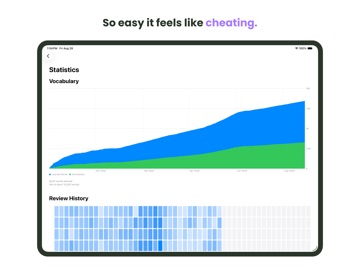
STATISTICS REDESIGN - Better visualize your progress with the redesigned stats page, featuring interactive charts. FIXES - Fixes a bug where using system translation without Apple Intelligence enabled would sometimes trigger a prompt to download languages, even if they were already downloaded. - However, you should still enable Apple Intelligence if available, as it can improve the quality of system translations.
Audience growth
Ratings growth
Baseline captured. Growth appears after the crawler observes a changed rating count.
Momentum comes from crawler snapshots for the tracked storefront. “Viral growth signal” means unusually fast recent rating gains; it is an indicator, not download data.
Price tracking
Price intelligence
First snapshot captured. The trend line starts after the next crawler price observation.
- First observed Sep 2, 2026 · 6:36 PM Free
Screenshots