About this app
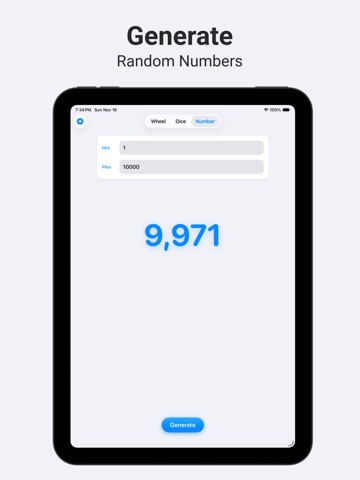
Spin Custom Wheels, Roll Dice, and Generate Random Numbers with Pivot. Whether you're making a tough choice, hosting a game night, or just need a random outcome, Pivot gives you all the tools for fun and fair randomization in one simple app. Create and Spin Custom Wheels: • Build Your Own Wheels - Easily create and save multiple wheels with your own custom choices and colors. • Spin to Decide - Let fate pick dinner, assign chores, or answer any question. • Unlimited Options - Add as many slices to your wheel as you need for any decision. Roll Digital Dice: • Up to 9 Dice - Roll multiple dice at once, perfect for board games, TTRPGs, or making quick choices. • Instant Results - Get a fast, clear, and truly random roll with a single tap. • Custom Colors - Personalize your dice with vibrant colors to match your board game, theme, or unique style. • Multiple Die Types - Choose from D4, D8, D10, D12, and D20 for any tabletop RPG, dungeon crawl, or game night. Generate Random Numbers: • Set Your Range - Pick any minimum and maximum value to get the exact number you need. • Instant Generation - Get a random number instantly for lotteries, drawings, or any time you need a non-sequential pick. Draw Without Repeats with Fair Draw: • Give Every Option a Turn - Draw wheel options or numbers without repeating a selection until every option has been drawn. • Track Your Draws - See previous results in order and keep track of how many options remain. • Stay in Control - Undo the last draw or reset the session to start fresh. • Export Your Results - Share your draw history for game nights, classroom activities, or choosing turns. Simple, Fast, and Fun: Pivot is designed to be your go-to randomization tool. It's built for speed, simplicity, and works completely offline. No accounts, no data collection, just pure simple randomness. Download Pivot today and let fate decide!
Latest release
What’s New
In this version of Spin the Wheel - Pivot: - Added Fair Draw: draw wheel options or numbers without repeats - Improved UI and bug fixes
Audience growth
Ratings growth
Baseline captured. Growth appears after the crawler observes a changed rating count.
Momentum comes from crawler snapshots for the tracked storefront. “Viral growth signal” means unusually fast recent rating gains; it is an indicator, not download data.
Price tracking
Price intelligence
First snapshot captured. The trend line starts after the next crawler price observation.
- First observed Sep 29, 2026 · 12:10 AM Free
Screenshots