About this app
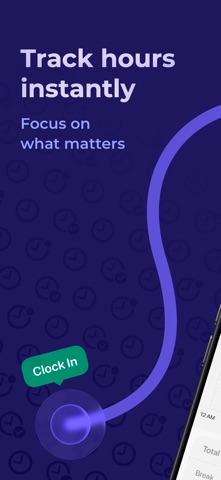
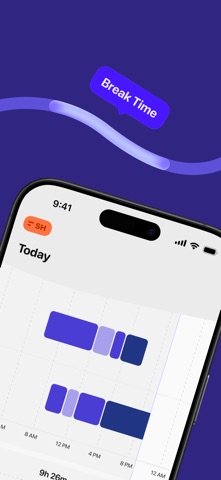
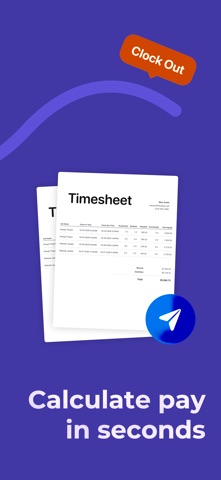
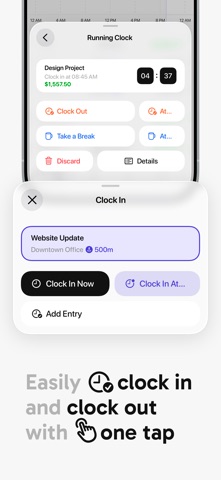
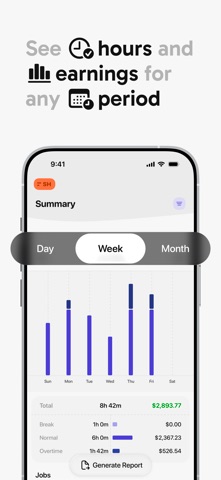
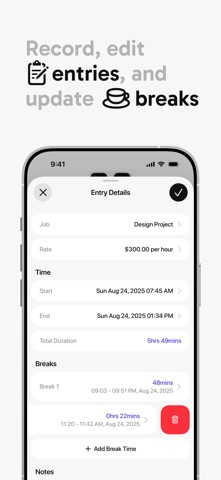
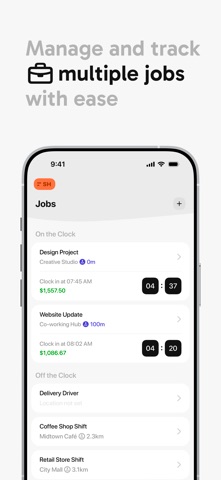
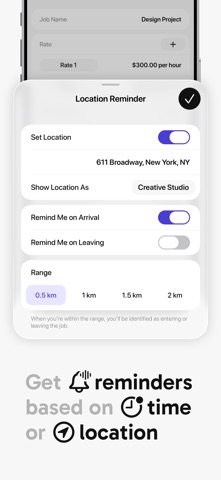
Sim Hours is an intuitive hours tracker for hourly workers, freelancers, and contractors. Track work time, manage attendance, and calculate pay with confidence—whether you’re working one job or juggling several. ## Accurate time tracking Use the punch clock to clock in and out instantly, or run the timer while you work. Add or edit time entries manually when needed. Every work minute is logged with precision. ## Hourly pay made easy Set up Jobs with individual hourly rates. Need different rates for the same job? Sim Hours handles that too. Your earnings are calculated automatically, so you always know your total pay. ## Professional timesheets Generate clean daily, weekly, or monthly timesheets with clear visual summaries. Export your time logs and timecards as PDF or CSV for payroll, invoicing, or record-keeping. ## Built for busy schedules - One-tap punch in / punch out - Automatic work timer & manual time log - Job-based tracking with hourly pay calculation - Attendance & timesheet summaries - Notes, tags, and task context - Offline tracking with account sync - Time and location reminders to avoid missed entries ## Focused and efficient Sim Hours keeps things simple. No learning curve. No bloated features. Just fast, reliable timekeeping—cleaner and easier than complex tools like clockify. Ideal for hourly employees, independent contractors, and anyone who wants clear work time tracking on iOS. Privacy Policy: https://bit.ly/SH_pp Terms of Use: https://bit.ly/SH_tou Questions or support: support@simxapps.com
Latest release
What’s New
We’re constantly improving the app to make time tracking smoother and more reliable. This update includes bug fixes and logic improvements to make tracking your work hours even more seamless. We’ve also made a few improvements behind the scenes to keep everything running smoothly. If you have any questions or suggestions, feel free to contact us at support@simxapps.com.
Audience growth
Ratings growth
Baseline captured. Growth appears after the crawler observes a changed rating count.
Momentum comes from crawler snapshots for the tracked storefront. “Viral growth signal” means unusually fast recent rating gains; it is an indicator, not download data.
Price tracking
Price intelligence
First snapshot captured. The trend line starts after the next crawler price observation.
- First observed Aug 5, 2026 · 10:04 PM Free
Screenshots