About this app
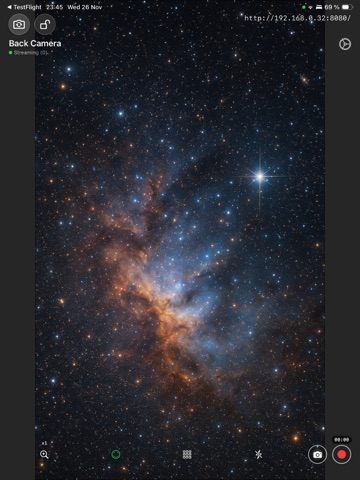
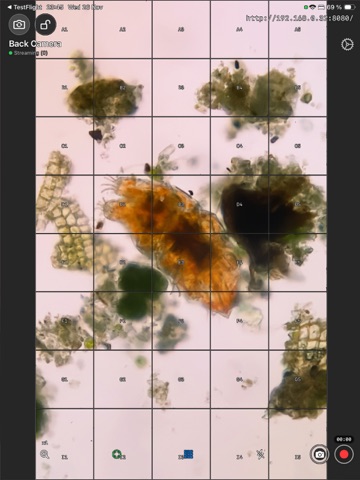
Transform your iPhone or iPad into a professional WiFi streaming IP monitor camera with remote control and remote touch display. Accessible from any web browser on your local WiFi network: from any computer, tablet, smartphone - no additional apps required on viewing devices. Optional infinity mode useful when connecting to external lens, microscopes, telescopes and other special equipment. Key Features - Multi-Lens Support – Seamlessly switch between all available cameras (Wide, Ultra-Wide, Telephoto, Frontal) - Grid Overlay – Professional labeled grid system (A0-Z9 coordinates) for precise composition and reference - Interactive Indicators – See touch interactions across all connected viewers - Flexible Zoom – Preset zoom levels from 1.0x to 3.0x for precise framing - Focus Modes – Toggle between continuous autofocus and infinity focus lock for surveillance or technical feeds. - Torch Control – Built-in flash/torch for low-light environments - Easy Connection – Tap to copy stream URL and paste into any browser Remote Control - Remote Recording – Start/stop video recording from any connected browser - Remote Photo Capture – Trigger high-resolution photo capture remotely Media Capture - High-Resolution Photos – Capture full-quality still images saved directly to Photos - MP4 Video Recording – Record H.264 video with proper orientation handling - Automatic Saving – All captured media automatically saved to your Photos library Smart Features - Automatic Orientation – Handles portrait and landscape modes seamlessly - Aspect Ratio Adaptation – Intelligent layout adjusts to camera orientation - Multi-Client Support – Stream to multiple browsers simultaneously - Network Monitoring – Automatic IP address detection and updates Perfect For - Baby monitors - Technical feeds - Educational demonstrations - Home monitoring - Remote observation - Pet cameras - Live streaming setups - Video conferencing - Content creation How It Works 1. Launch IP Cam Infinity on your device 2. Copy the displayed stream URL 3. Open the URL in any web browser on your network 4. View or control your camera remotely No subscriptions. No cloud services. No account required. Complete privacy on your local network.
Latest release
What’s New
Bugfixes
Audience growth
Ratings growth
Baseline captured. Growth appears after the crawler observes a changed rating count.
Momentum comes from crawler snapshots for the tracked storefront. “Viral growth signal” means unusually fast recent rating gains; it is an indicator, not download data.
Price tracking
Price intelligence
First snapshot captured. The trend line starts after the next crawler price observation.
- First observed Aug 18, 2026 · 3:53 PM Free
Screenshots