About this app
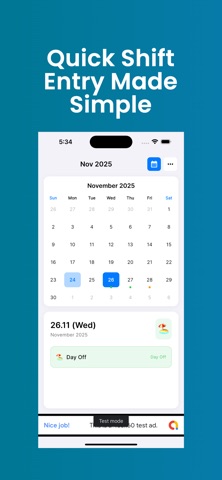
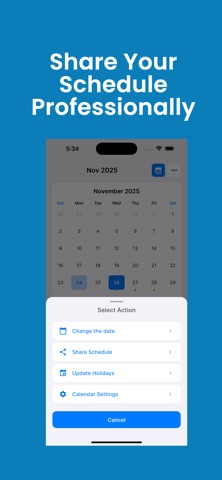
Work Shift Calender Organizer - The Ultimate Shift Work Calendar Designed specifically for shift workers, ShiftWorkCal makes managing your work schedule effortless. Whether you're a nurse, firefighter, retail employee, or work any rotating schedule, this app keeps you organized and on time. KEY FEATURES: VISUAL CALENDAR • See your entire month at a glance • Color-coded shift types for instant recognition • Clean, intuitive interface SMART NOTIFICATIONS • Customizable reminders (15 minutes to 1 day before shift) • Never oversleep or forget a shift again • Flexible notification settings RECURRING SHIFTS • Set up daily, weekly, biweekly, or monthly repeating shifts CUSTOMIZABLE SHIFT TYPES • Create unlimited shift categories • Assign unique colors and names • Track day shifts, night shifts, overtime, personal time, and more SHIFT DETAILS • Add shift times, locations, and notes • Track working hours automatically • Keep important shift information at your fingertips SHARE YOUR SCHEDULE • Export monthly schedule as professional PNG image • Share with family, roommates, or managers • Perfect for coordinating with others PERFECT FOR: • Healthcare workers (nurses, doctors, EMTs) • Firefighters and police officers • Retail and hospitality staff • Factory and warehouse workers • Anyone with rotating or irregular schedules Download ShiftWorkCal today and take control of your work schedule! Privacy Policy: https://sites.google.com/view/privacy-policy-shiftworkcal/home Terms of Use: https://sites.google.com/view/janogroupllc/terms
Latest release
What’s New
We’ve made major improvements to make your schedule planning smarter and easier: - Overnight Shift Support: The app now intelligently handles shifts that cross midnight—just set your start and end times, and we'll handle the rest. - Instant Sharing: The 'Share' feature is now faster and always exports your latest, up-to-date schedule. - Performance Fixes: Various stability improvements and bug fixes to keep your experience smooth.
Audience growth
Ratings growth
Baseline captured. Growth appears after the crawler observes a changed rating count.
Momentum comes from crawler snapshots for the tracked storefront. “Viral growth signal” means unusually fast recent rating gains; it is an indicator, not download data.
Price tracking
Price intelligence
First snapshot captured. The trend line starts after the next crawler price observation.
- First observed Aug 6, 2026 · 2:04 PM Free
Screenshots