About this app
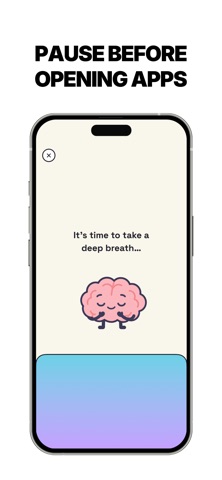
“Miso - Screen Time Control” is an app built for people who want their evenings, focus, and mornings back. It helps you reduce screen time by 3 hours a day by blocking the apps that pull you in and adding a pause before you scroll. Features: Block Distracting Apps and Websites. Pick the apps, categories, and websites that steal your attention. Run multiple presets at once so work, evenings, and weekends each have the right rules, and stay consistent while you cut down on screen time. Unlock Interventions. A short step before an app opens breaks the habit of scrolling without thinking. Take a guided breath, or scan a barcode on something nearby like a book or a tea tin so you have to get up first. Choose How Long Apps Stay Unlocked. When you do unlock, you pick the time so a quick check does not turn into the rest of your night. When the timer ends, the app locks again and you don’t overuse it. Brain Power Budget. Unlocking spends today’s budget. The longer you stay in distracting apps, the more minutes you use. You’re not banned from your phone. You see the cost of screen time as it happens, and you can change the goal whenever you want. Scheduled Blocks. Turn blocking on automatically for work hours, evenings, or any routine you set. It runs in the background, so you don’t have to remember to flip a switch every time you sit down to focus. Whether you want to focus on work, get through studying without checking your phone, keep evenings free for people in front of you, or you’ve already tried built-in limits and still pick it up without thinking, “Miso - Screen Time Control” makes reducing screen time clear, sustainable, and something that actually sticks. SUBSCRIPTION: “Miso - Screen Time Control" offers a free trial but does not offer a free subscription tier. Therefore, full access to all features requires a paid subscription. Before the subscription, you can only access the screen time analysis. Your subscription will automatically renew, unless you cancel at least 24 hours before the current period ends. You can cancel or manage your subscription from your Apple account settings. EULA: https://www.apple.com/legal/internet-services/itunes/dev/stdeula/ TERMS: https://hellomiso.vercel.app/terms PRIVACY POLICY: https://hellomiso.vercel.app/privacy
Latest release
What’s New
Added templates in blocks tab
Audience growth
Ratings growth
Baseline captured. Growth appears after the crawler observes a changed rating count.
Momentum comes from crawler snapshots for the tracked storefront. “Viral growth signal” means unusually fast recent rating gains; it is an indicator, not download data.
Price tracking
Price intelligence
First snapshot captured. The trend line starts after the next crawler price observation.
- First observed Sep 16, 2026 · 1:53 PM Free
Screenshots